
Sending and receiving medical records requests is a fundamental part of providing support to a healthcare company. With the lack of streamlined information and how important Patient medical information is, oftentimes this comes in via Fax. I know, we should be past that point, but we’re not so we still need to work with it. Take a look below at how we will send, and how we will receive and process these requests.
📚Resources Needed
🚀 Tips & Tricks
- The faxes come in through our email.
- We have the ability to download the encounter notes directly through the encounter.
- We have the ability to download the Patient records directly through the Patient detail page.
- When a healthcare company is asking for Patient information, be sure to only send them what they are asking for. Do not overshare information. They can always reach back out if something is missing.
📘 Instructions for Recieving Patient Info
When we send a referral, the referring provider should always be sending us the encounter notes for each encounter so that we can track the Patients progress. The reason being, if it is a referral from us, our providers have the responsibility of adjusting the number of visits and similar factors like that.
We will get an email / fax with the Patient information.
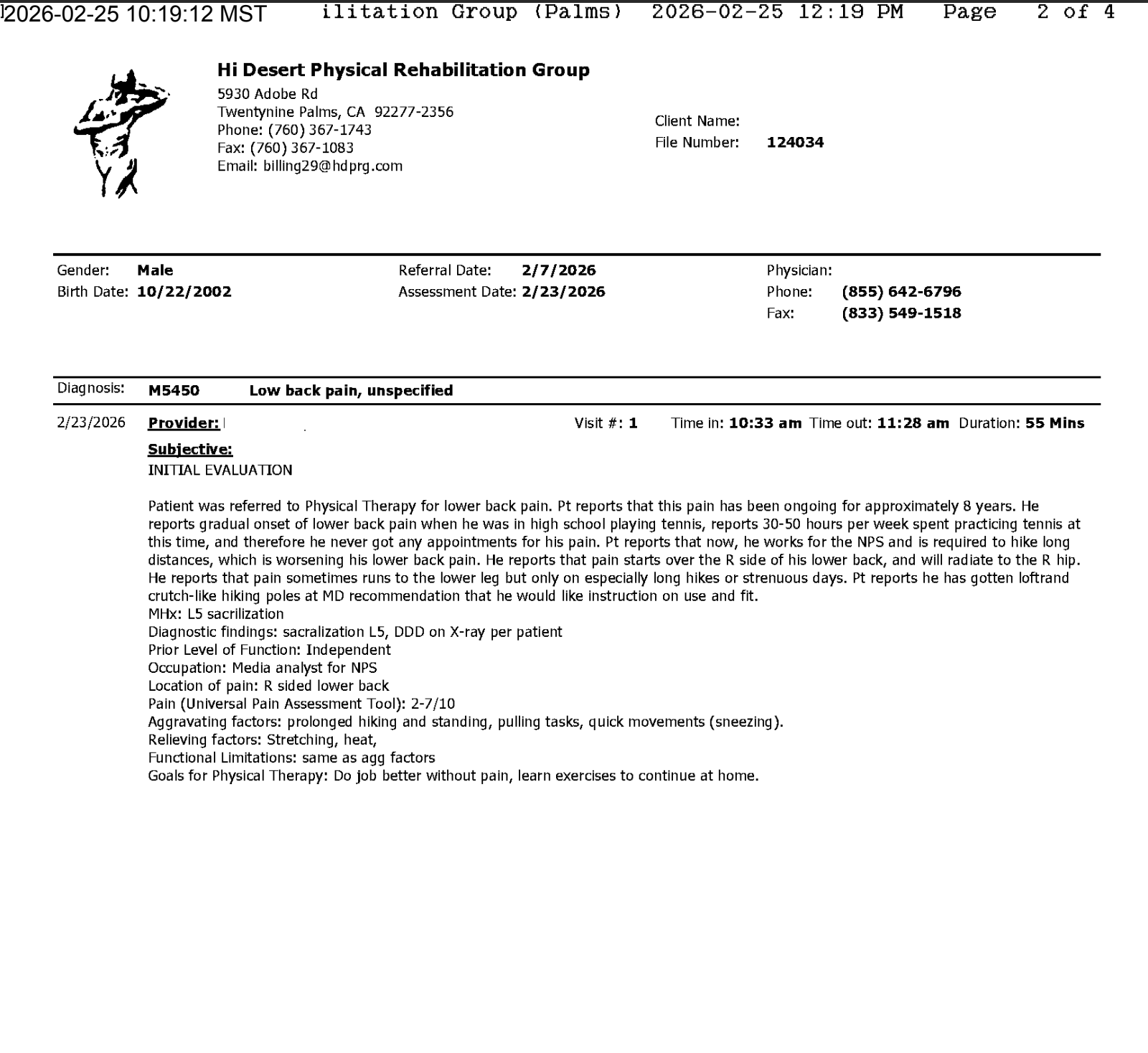
⚠️You can always check to see that there is a referral order for the Patient as well.
-
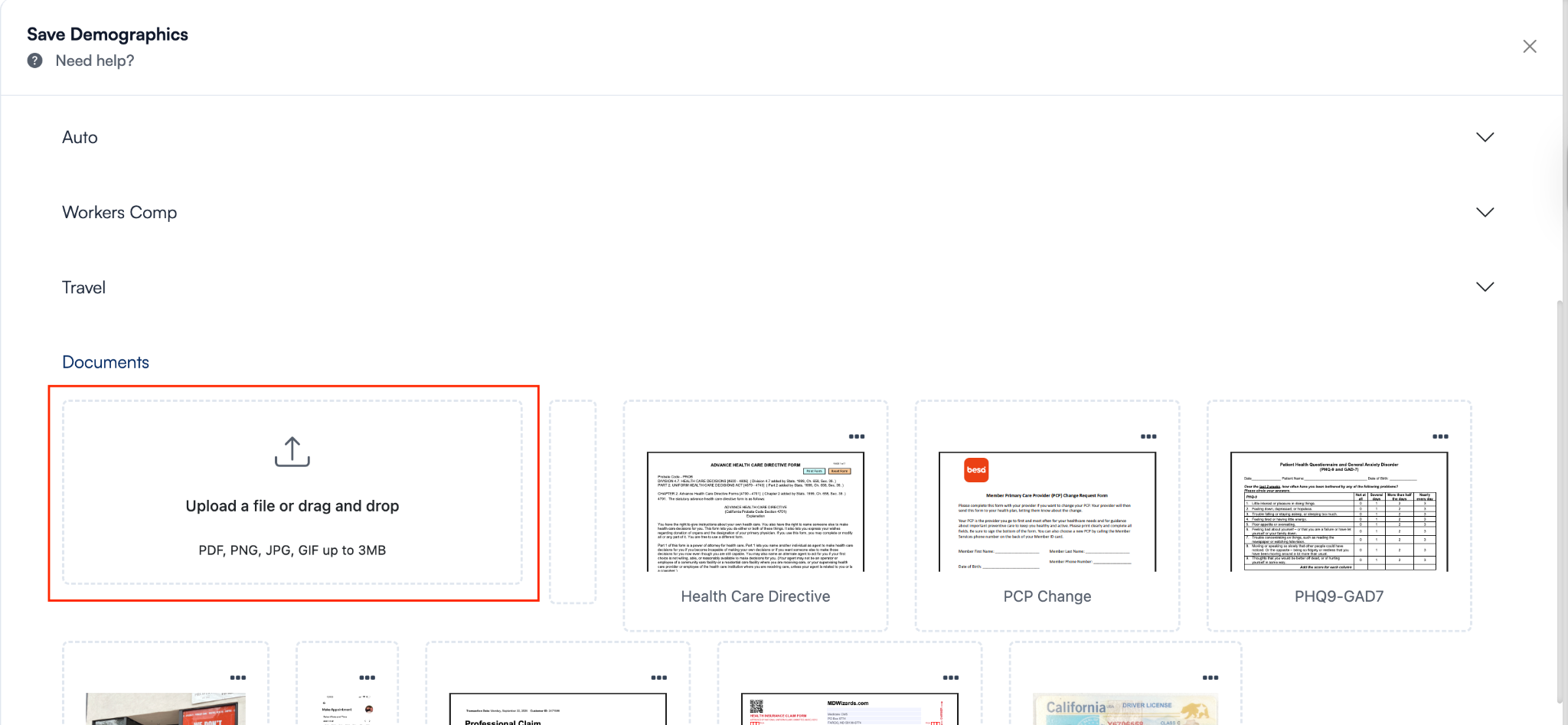
Add the encounter notes into the Patient demographics > Documents. Don’t forget to save it.
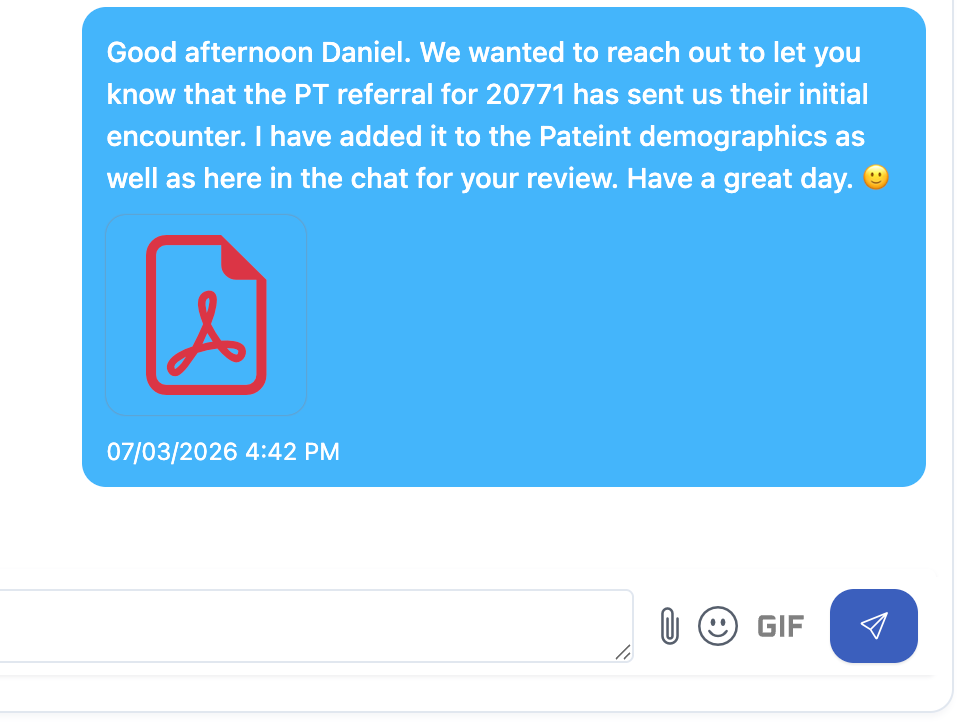
- Send the referring provider a message in the chat letting them know that the an encounter has been added to the Patient demographics. You can also upload it to the chat so they can see it there as well.
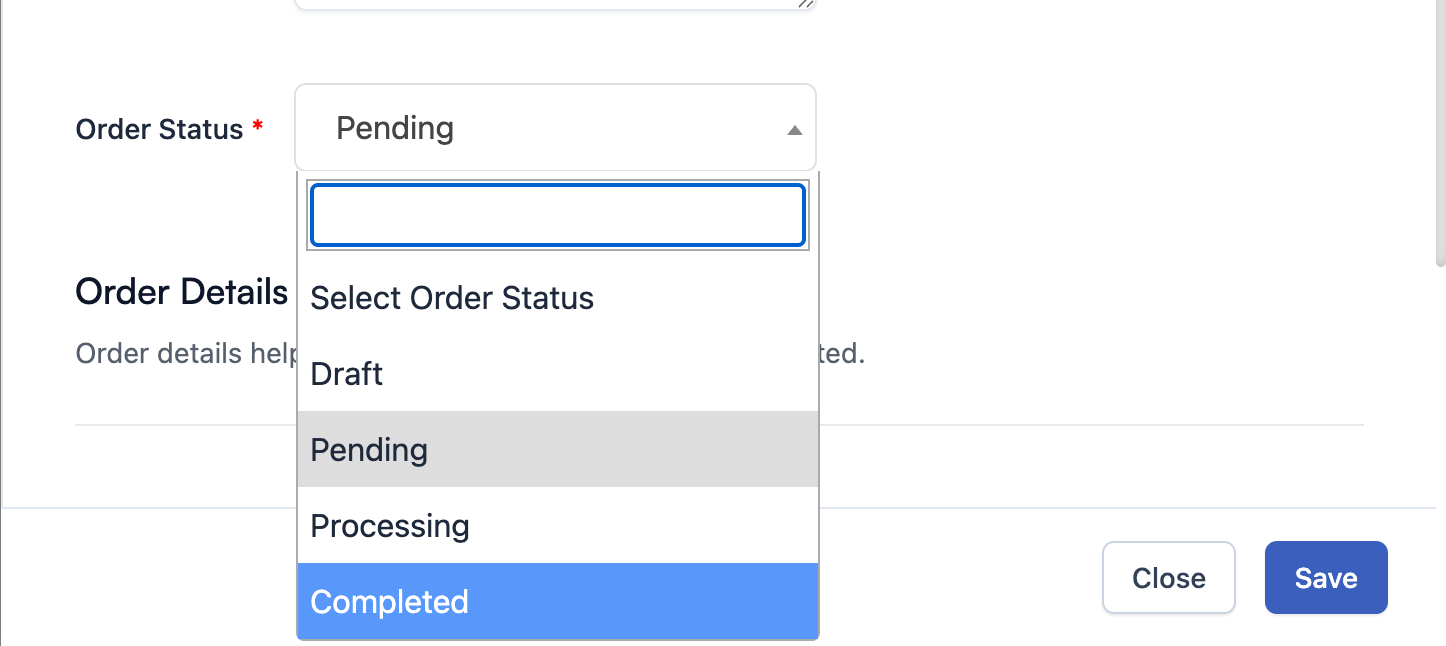
- 🤑Bonus! Make sure the status of the order for referral is completed.
📘 Instructions for Sending Patient Info
There are times where a healthcare company needs the Patient records. This happens often when we send a referral. We send them the encounter and nothing else. Every once in a while they want the entire Patient record. When this happens, do the following:
- We will get an email / fax with the Patient information asking us to send them some form of a Patient record.
⚠️We should only be sending what they request. Do not oversend them information.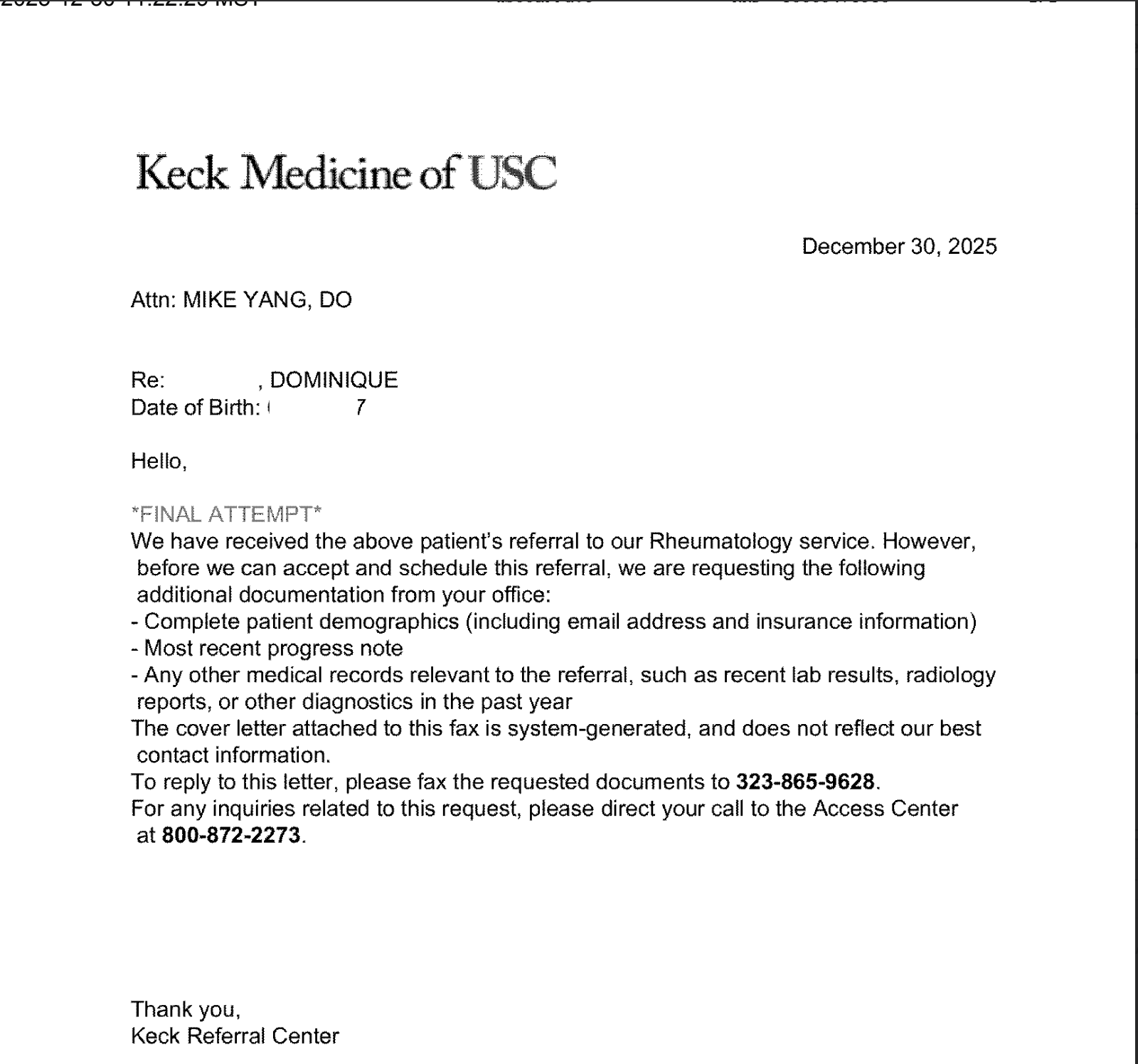
- Download the page asking for information. We will send this back to the healthcare company as the first page so they have some form of a cover letter for the information they are receiving.
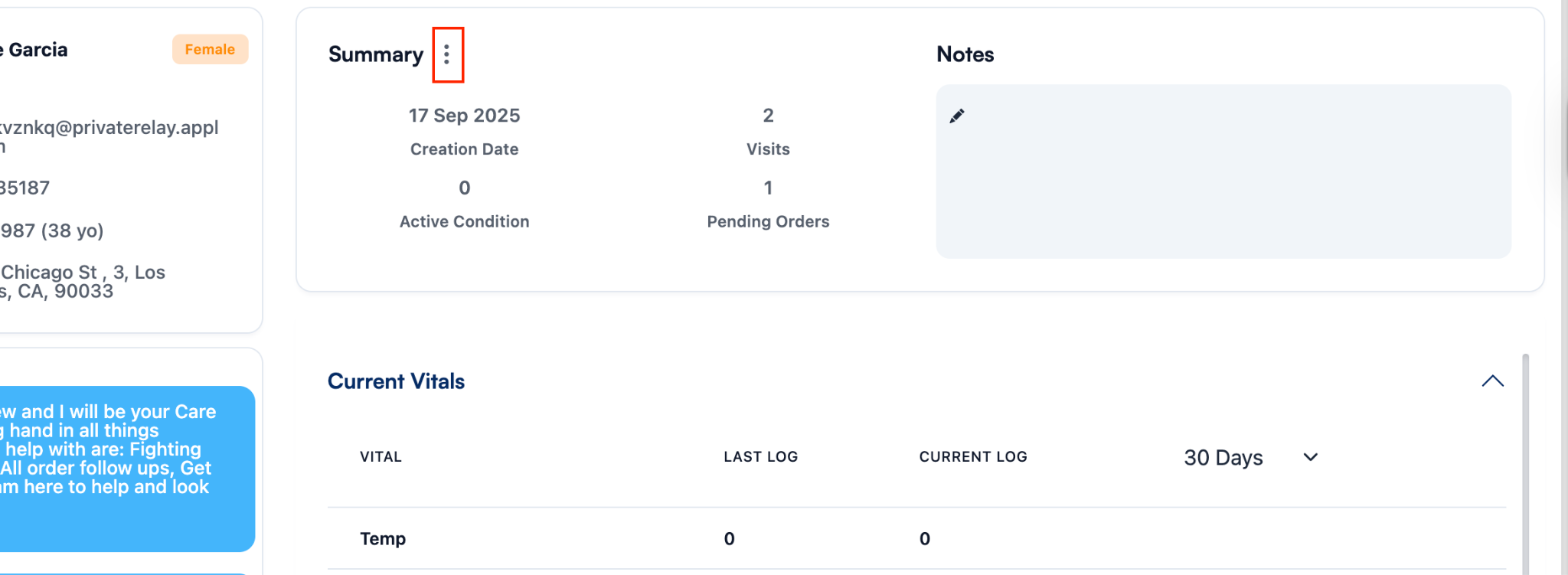
- Using the Patient information, go to the Patient detail page in the EHR to first download their Patient records.
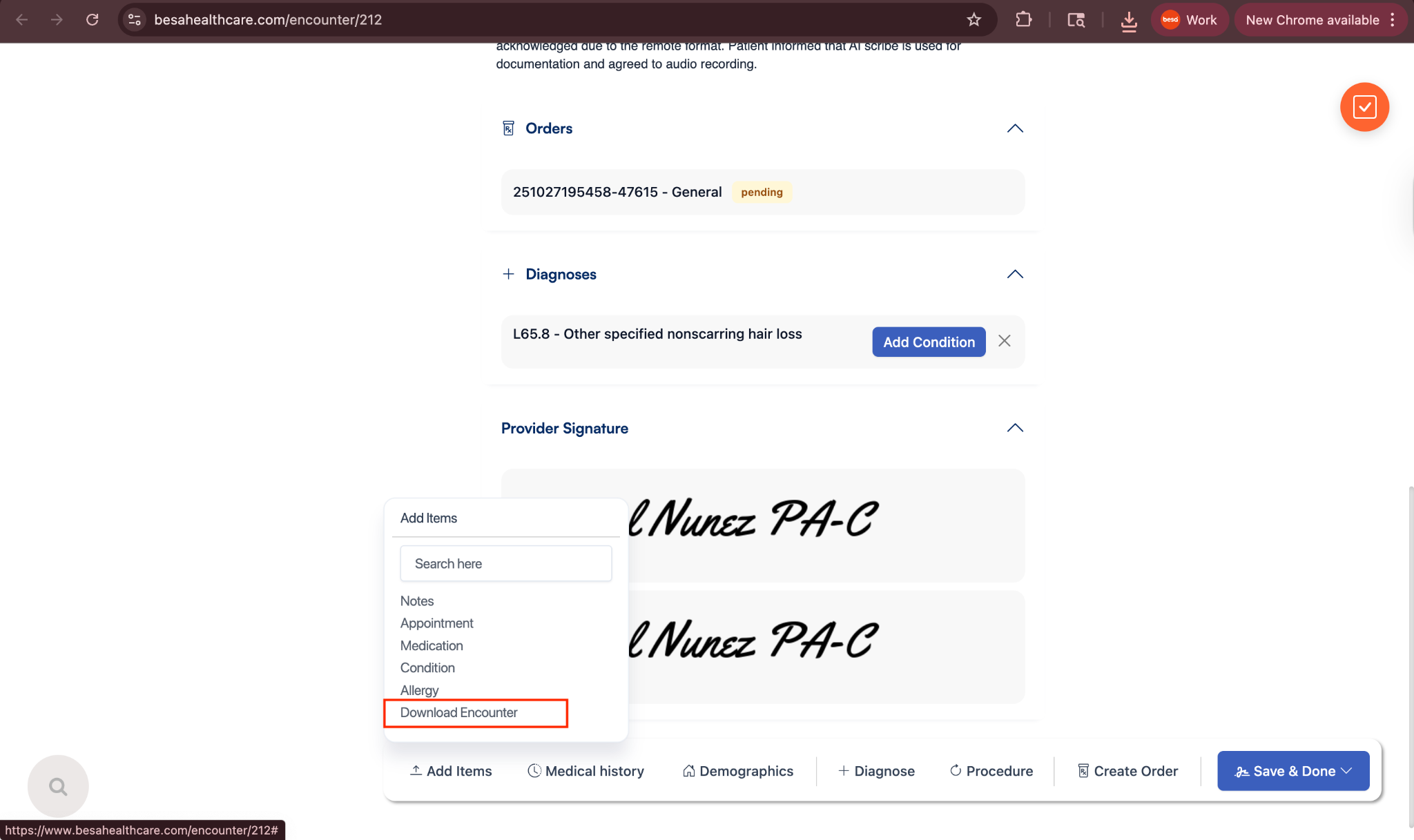
- This is asking for the encounter which states a referral is done. Go to the encounter > click + Add > Download encounter
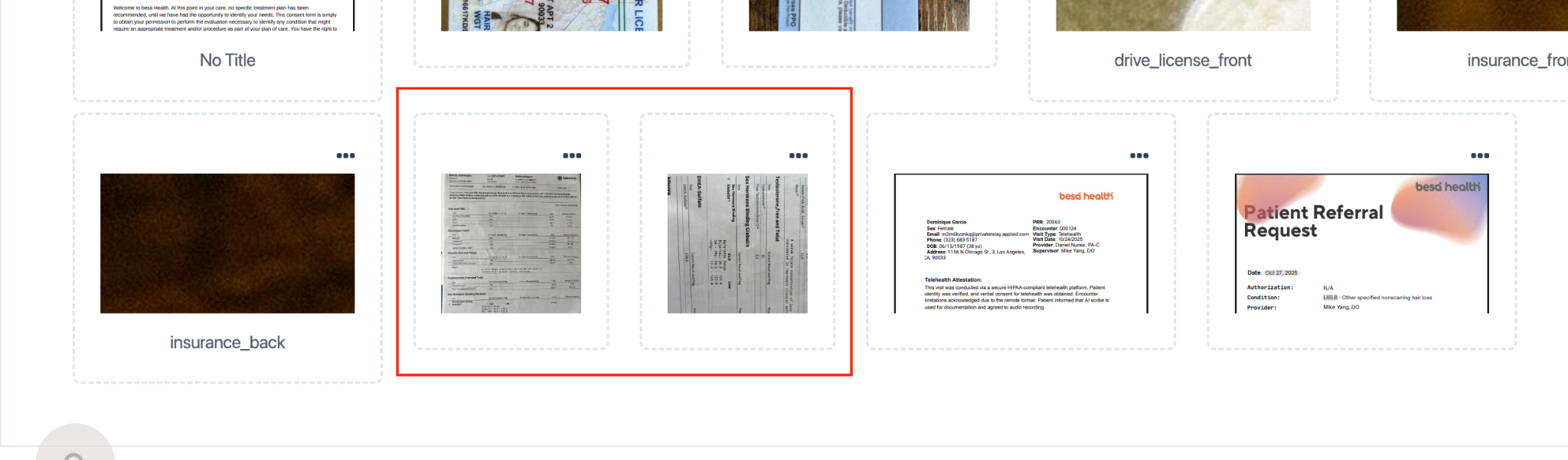
- In this specific request, it also asks for any lab results. Because we didn’t send the Patient to get the labs done and the Patient already had them and uploaded them, go to the Patient demographics > documents > download the uploads.
- Now that you have all the info, log into Fax Better > press Send Fax
- Double check the fax number and add it. Then, beginning with their file, upload all the requested info.
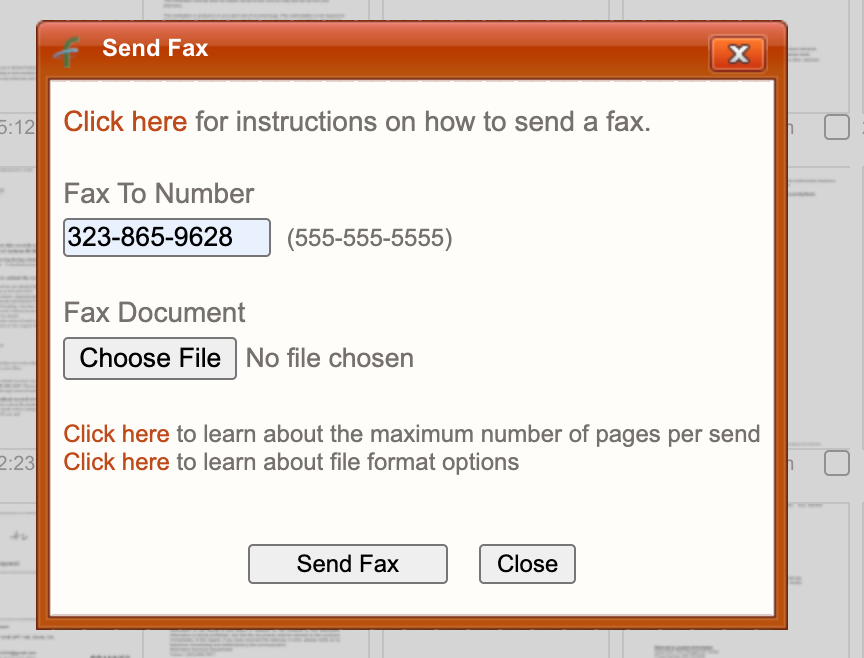
- Keep in mind that you will be sending several faxes in order to send them all the Patient records that they requested.
Done!
Comments (0)