
There are several different actions that we may need to take regarding the Patient's copay or deductible deposit. Take a look below at some of the main actions you can perform and what actions we have automated.
📚Resources Needed
- besa EHR
- Insurance Eligibility Check
🚀 Tips & Tricks
- When we add a Patient to our system, as part of that process we add any deductible deposit or copay that may be part of their insurance plan.
- If something doesn’t make sense with their copay / deductible deposit, you can always go to the Patient demographics to change that.
- For most deductible deposits the amount will be $5. For self pay Patients it will be $150.
📘 Instructions
Here’s some of the main actions you will need to perform while handling a Patient copay / deductible deposit.
- Go to the billing page of the platform
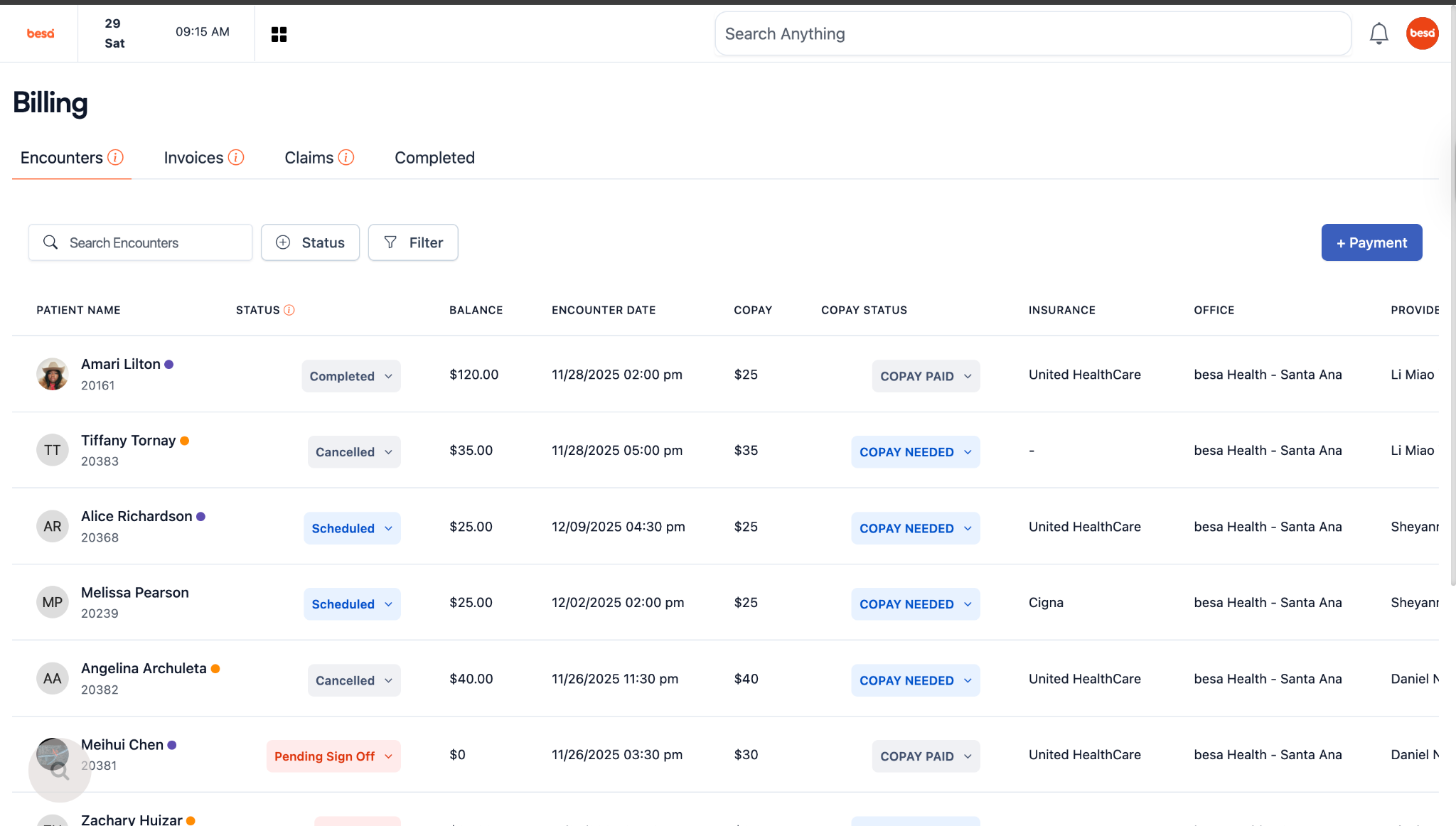
- Look here at the copay field. A good rule of thumb is, there should always be an amount listed. It is very rare that a Patient won’t owe us soemthing prior to the visit. In the cases that they do not, it is more than likely Medicare or Medi-Cal as the insurance.
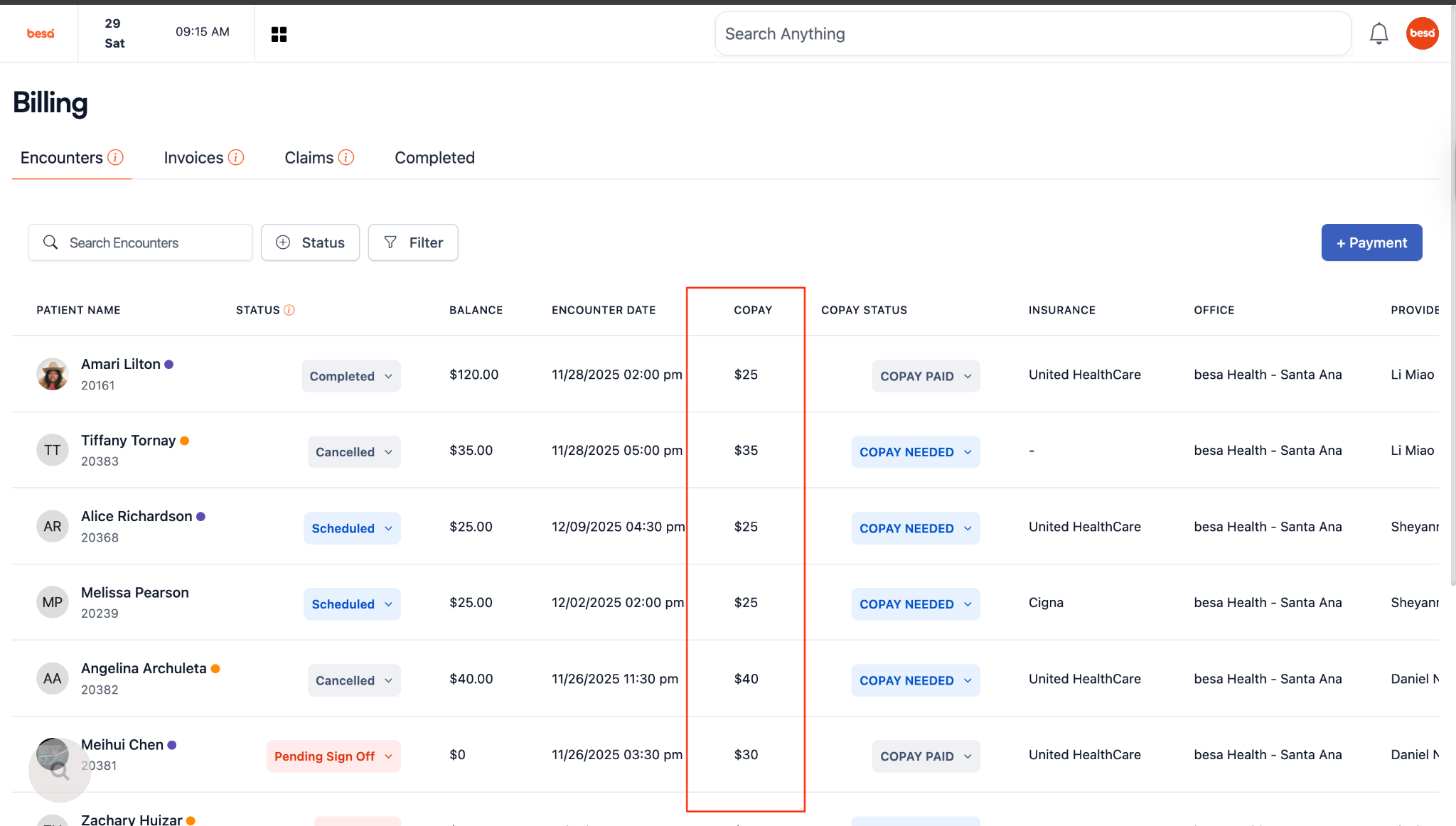
⚠️For Patients that owe us something for a copay / deductible deposit we automatically create the invoice and send them the invoice via email 15 minutes prior to their appointment.
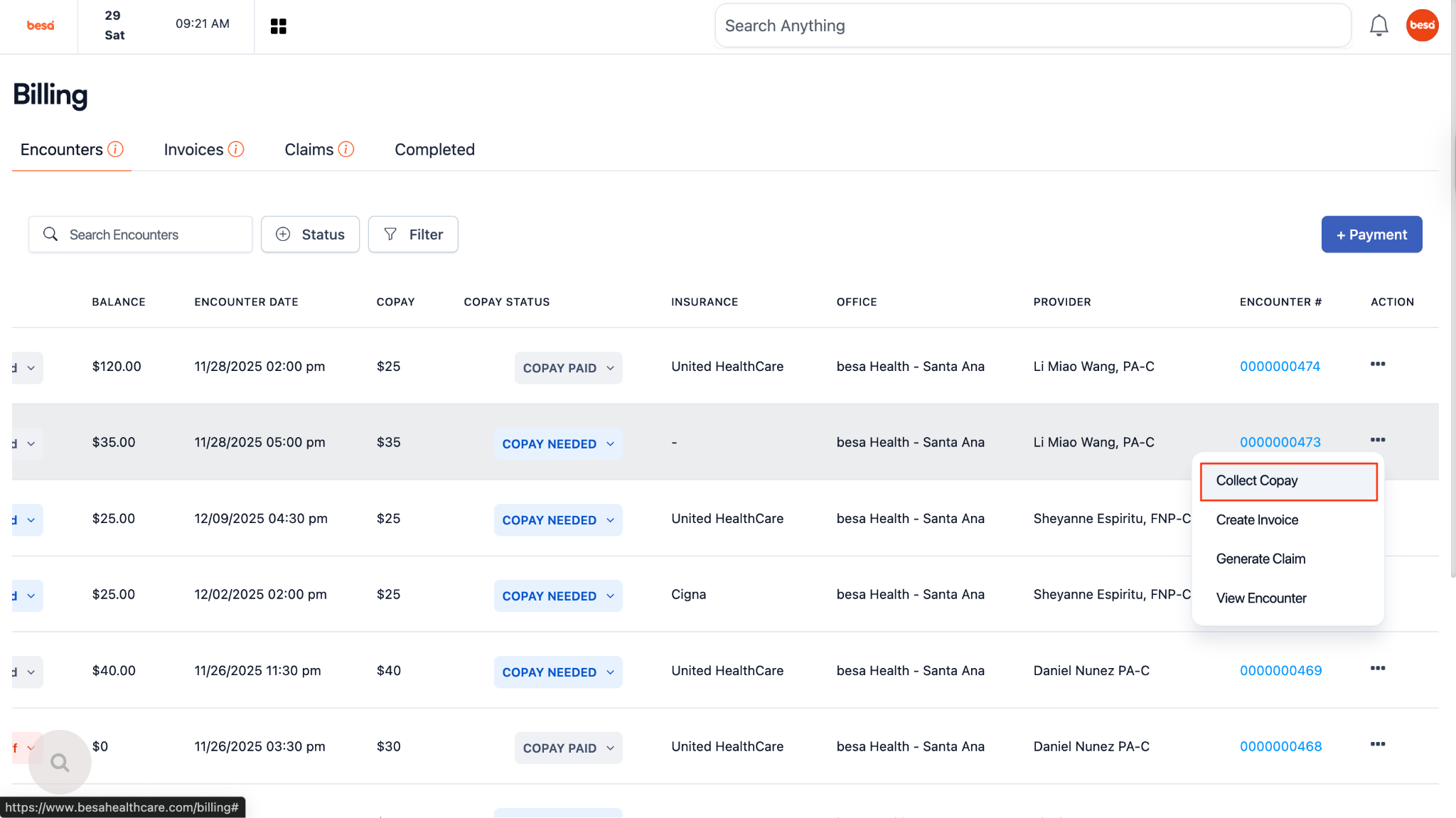
- In the case you need to create and send the invoice (Not a common thing as we automated it), click on the action icon > click Collect Copay.
- Click the button Generate Invoice.
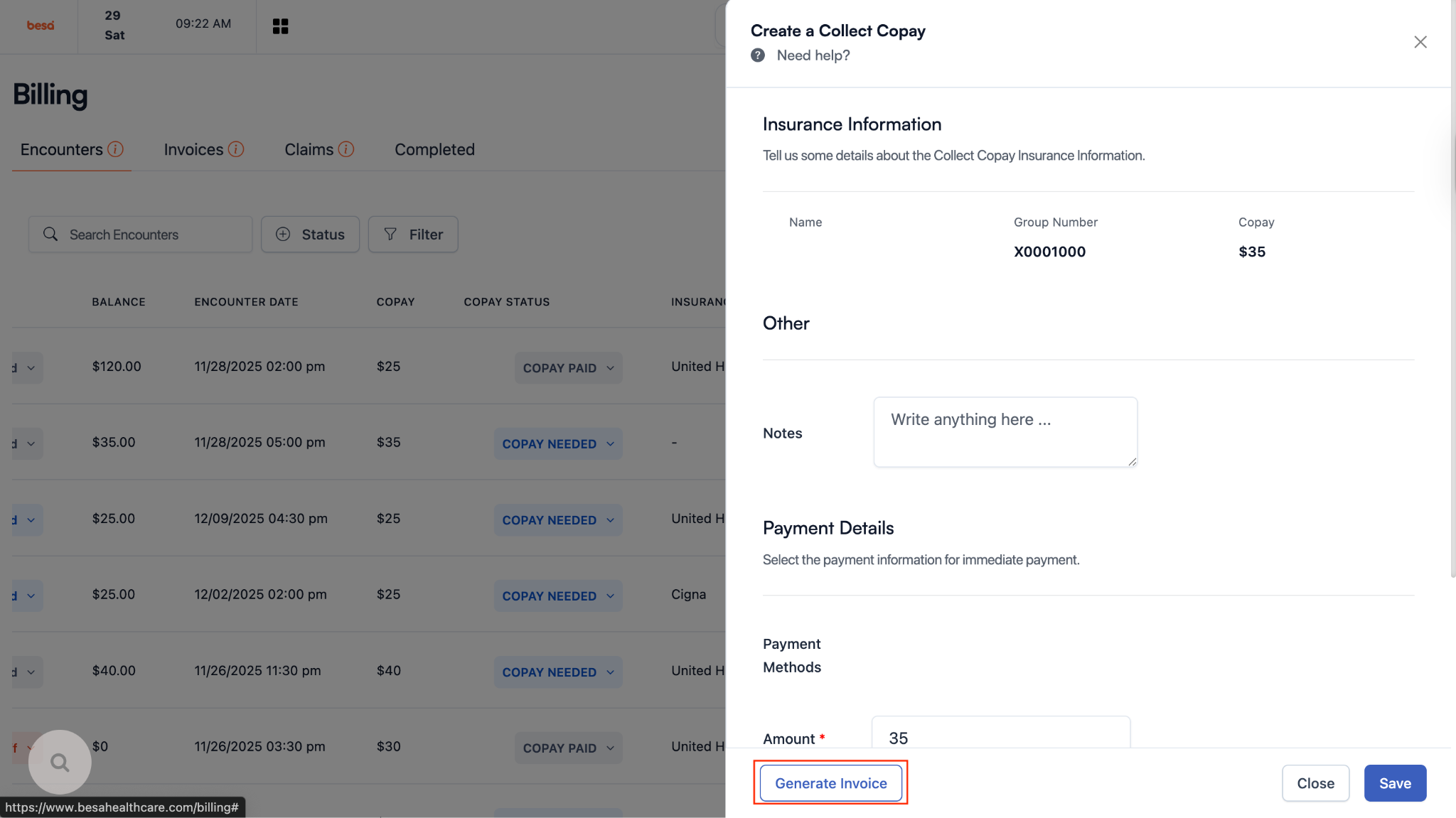
- Give it a few seconds and a new page will slide in with an Action button.
- To send the copay / deductible deposit invoice via email or text, click on the
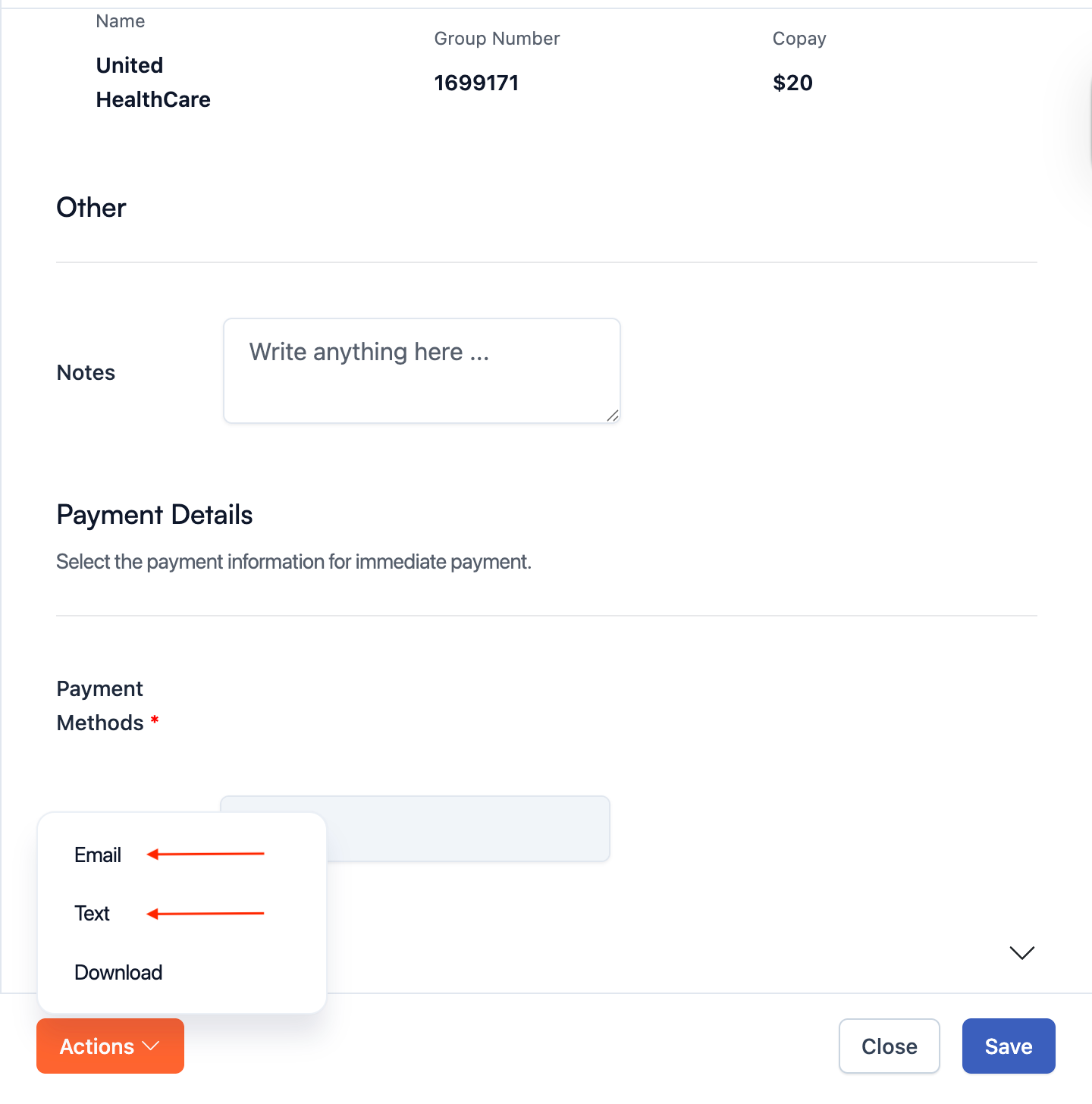
- Since this process is automated, it is not something you will need to worry too much about. However, there are times after the invoice is created (Within 15 minutes prior to the Patients appointment) that we will, or you will want to send the invoice again to the Patient so they pay it.
⚠️If there is a copay or deductible amount listed, a Patient will need to pay this prior to being treated. The providers will see an error message in the encounter letting them know that payment is needed and have the same buttons - text and email to be able to send to Patient for payment.
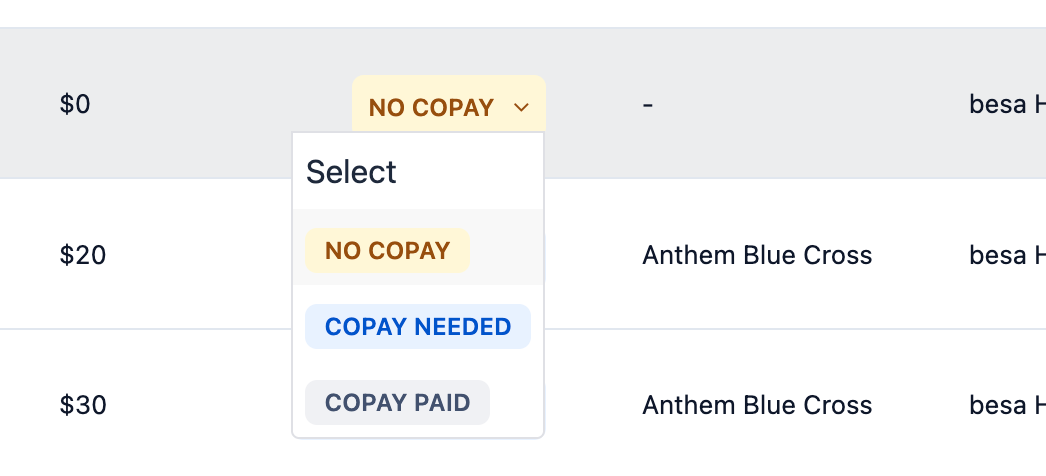
- In the case there’s an issue and there should not be an amount just for that one visit alone (If OOP is met - VERY rare) you can go in and change the status of Copay to No Copay and it will remove the payment requirement and collect payment message in encounter.
Here is a video to help you out.
Comments (0)