
We take no shows very serious. The reason being, when someone makes an appointment, they are taking away an opportunity for another Patient to receive care and address an issue they are facing. Appointment cancellations are okay, but a no show, we must still bill the Patient. Look below at the details.
📚Resources Needed
🚀 Tips & Tricks
- This should be sent out the day after the appointment.
- Always click into the encounter to ensure that the stats did not just change.
- If there are notes, send a message to the provider that saw the Patient letting them know that the status is no show and clinical notes have been added.
- If there are notes, send a message to the provider that saw the Patient letting them know that the status is no show and clinical notes have been added.
- For existing Patients we will not send a no show fee. Just send a message to their care manager letting them know to contact the Patient.
- If something doesn’t make sense, look into it more as more thank likely we should not send them a no show fee. Example: Yolanda White
📘 Instructions
Make sure not to forget one of these steps.
- Pull up the EHR Billing page > Encounter tab
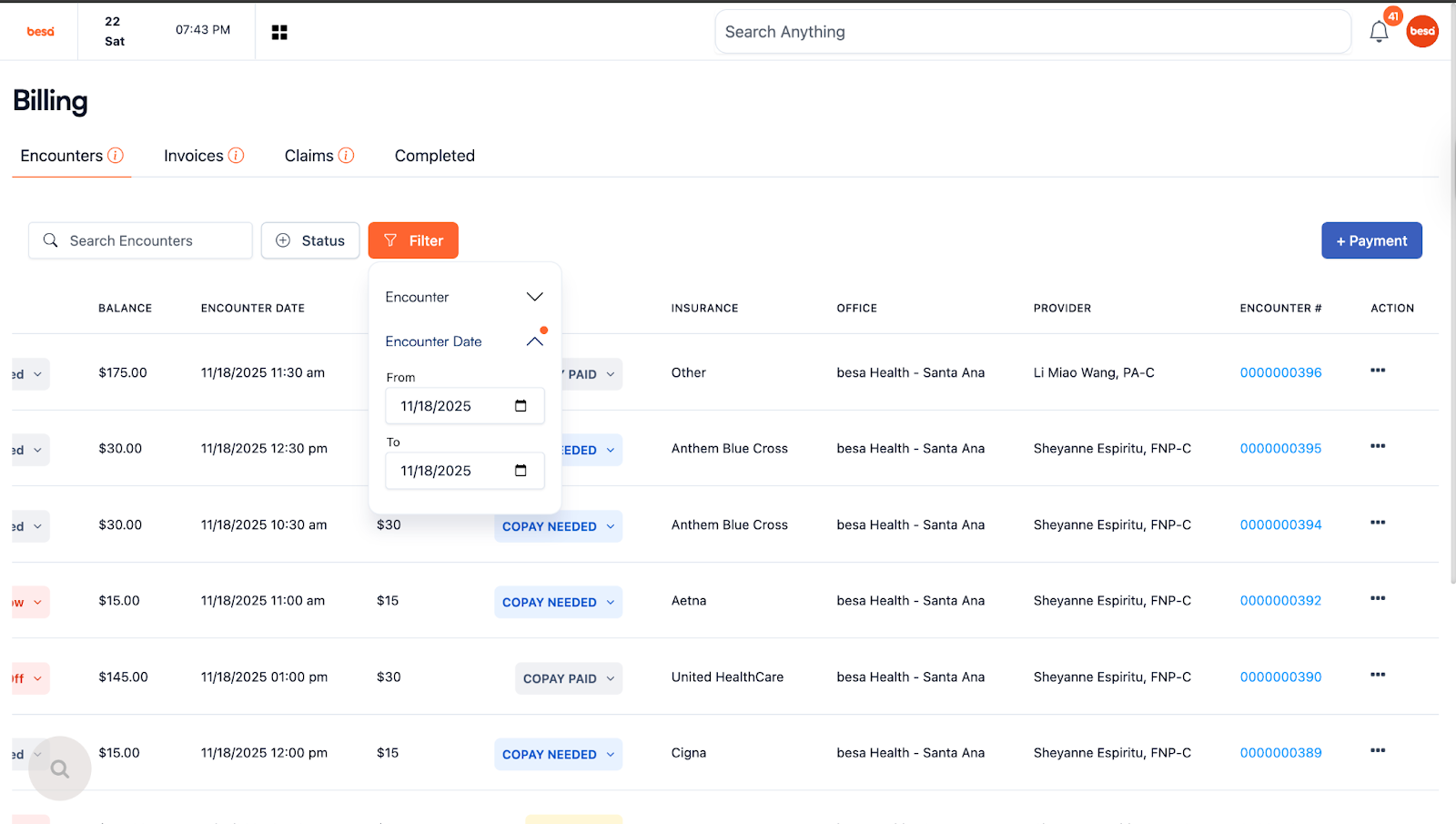
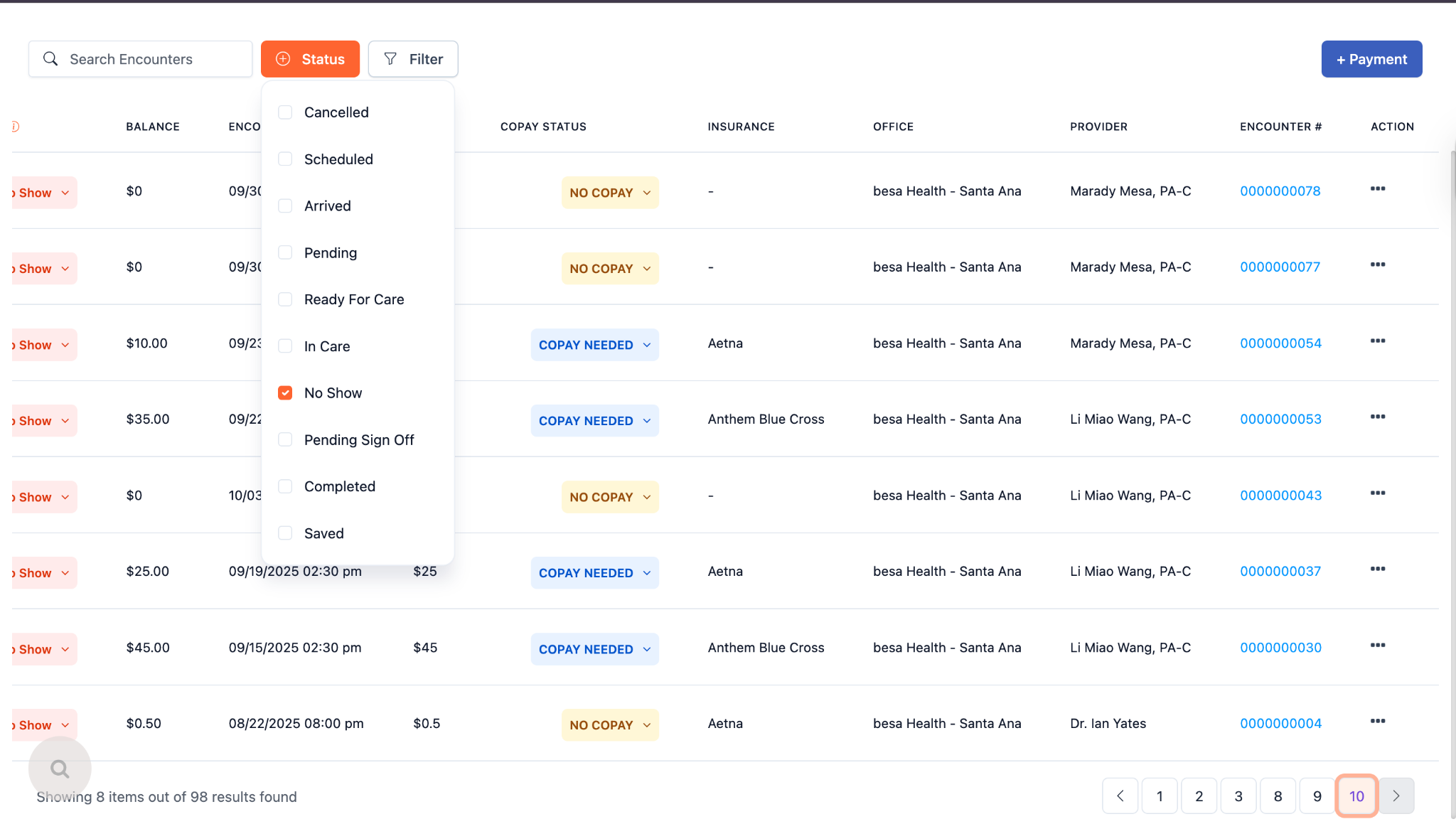
- Set whatever filters you would like. Since you’re always doing it a day after and every day, I would suggest filtering the date to the previous date with the status No Show.
⚠️When I say the day prior I am referring to everything in CA time. If today is the 18th in CA, then you will want to look at the 17th.
- Open the encounter in a new tab to ensure that there are no clinical notes. That is proof that it was a no show appointment.
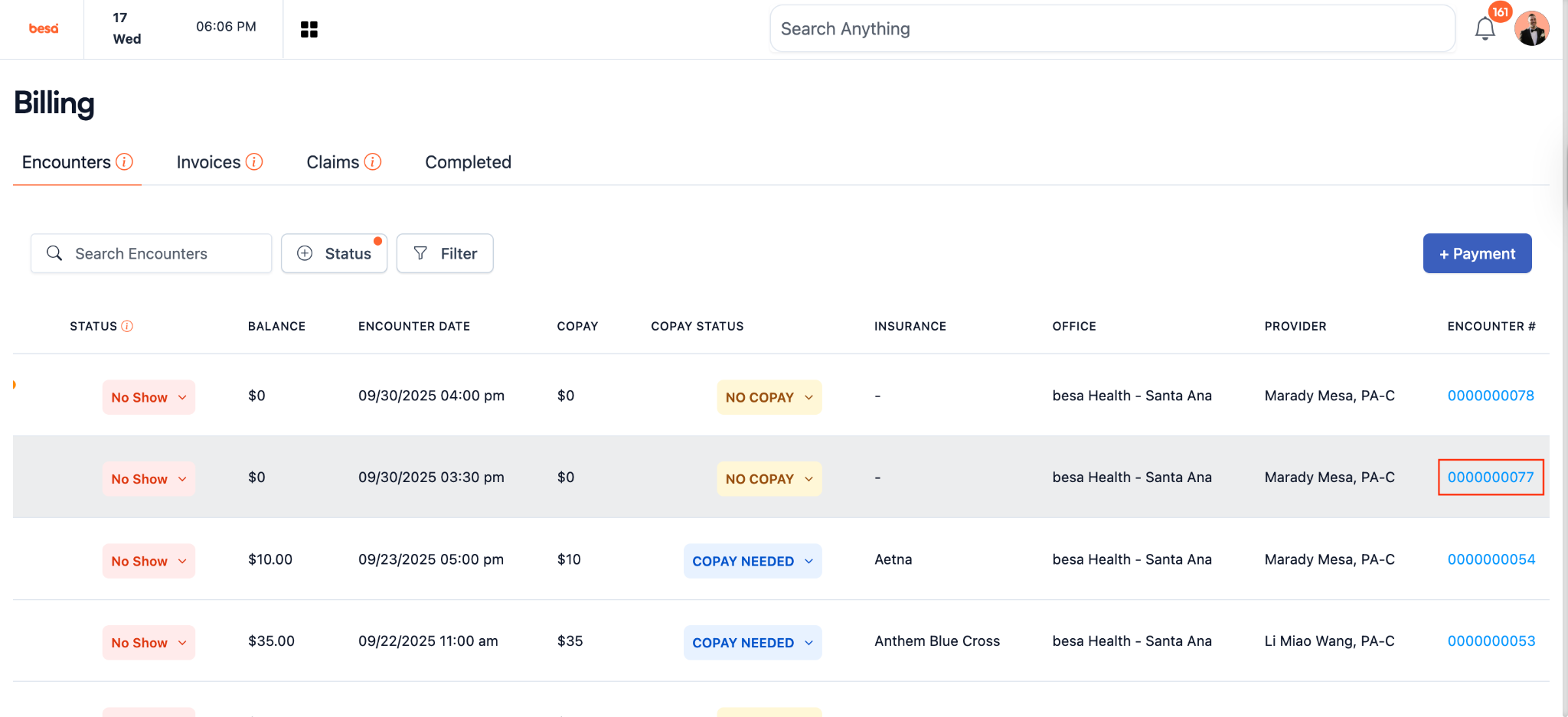
⚠️If there are notes, let the provider know that saw the Patient so they can make necessary changes to the encounter. Do not send a No Show invoice. Another easy tell is if the Patient paid the Copay.
- While in the notes, you can also look to see if there are previous visits. If we have a relationship with the Patient, we will not send a no show invoice. You will just need to send their care manager a message letting them know and their care manager will get in contact with the Patient.
⚠️Do not send no show invoices to Patients we have been seeing and have a relationship with.
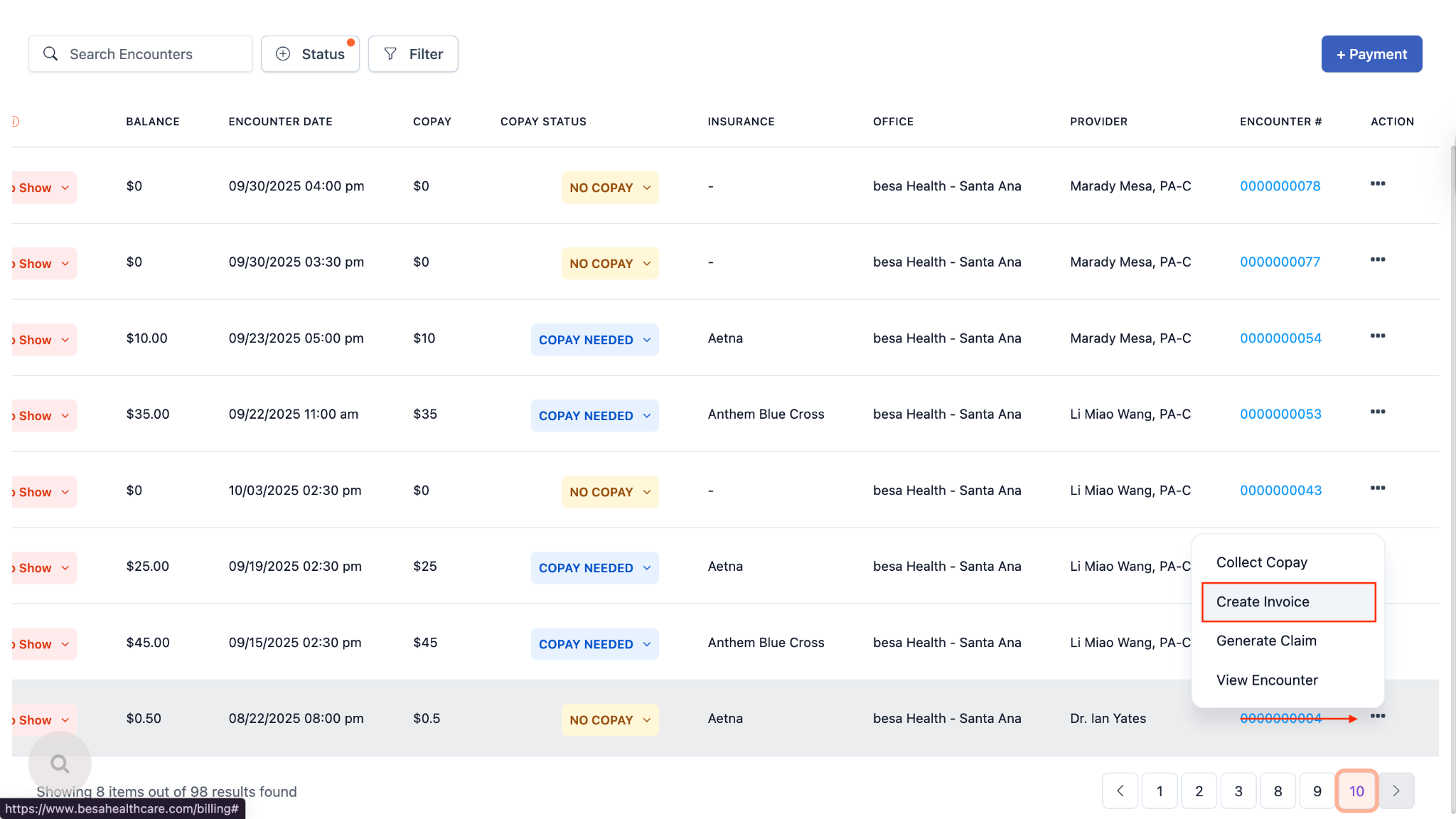
- If it is a new Patient and everything looks like it was a no show, click on the action icon > Create Invoice
- In the scope of work, add the item No Show Fee and press + Add New to add this item to the invoice. When you do this a card will show in grey above the item
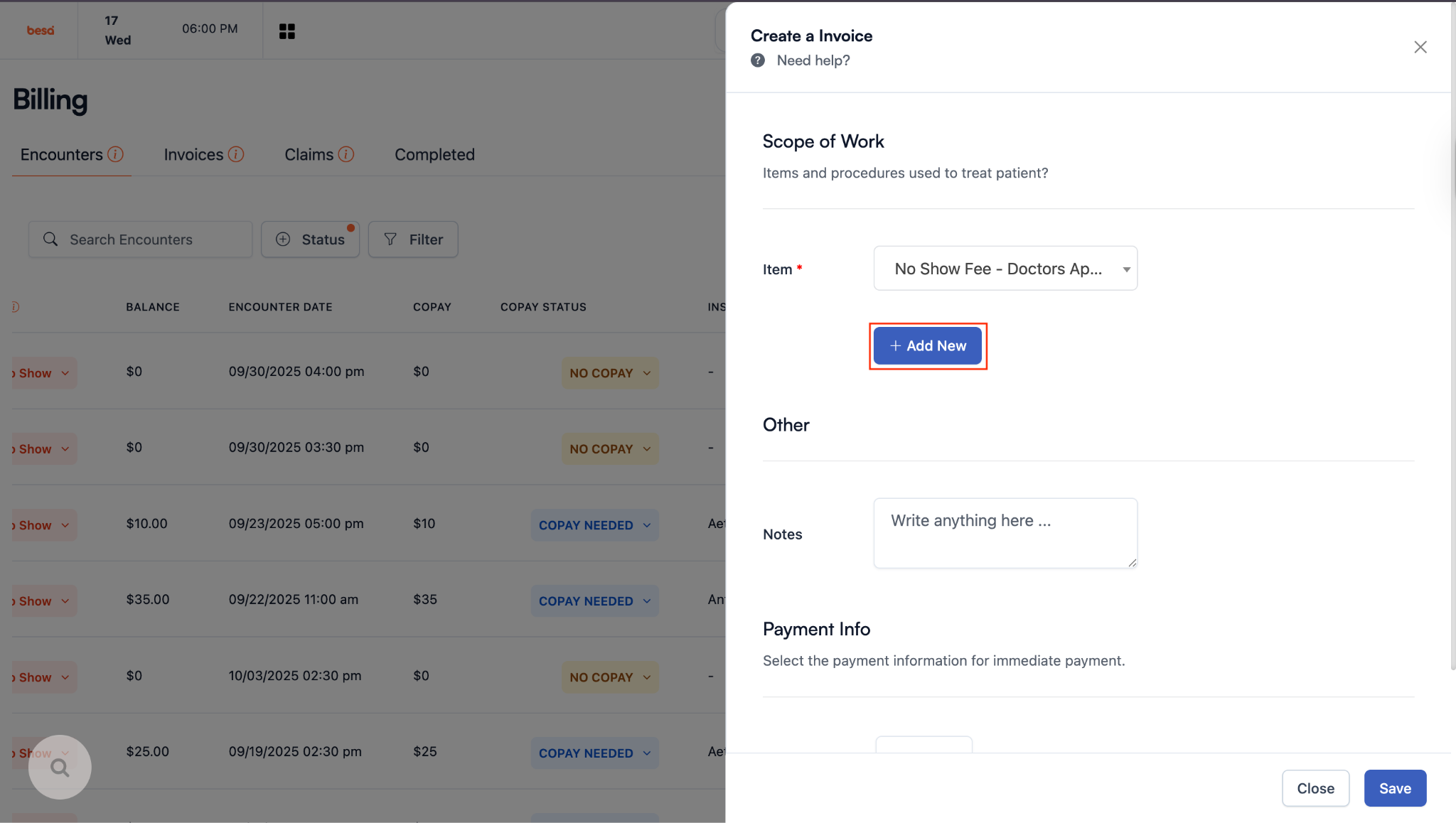
- Add the following note in the Notes field.
“This appointment time was reserved specifically for you and was missed without prior cancellation. As a result, another patient was unable to be scheduled and receive care during this time.”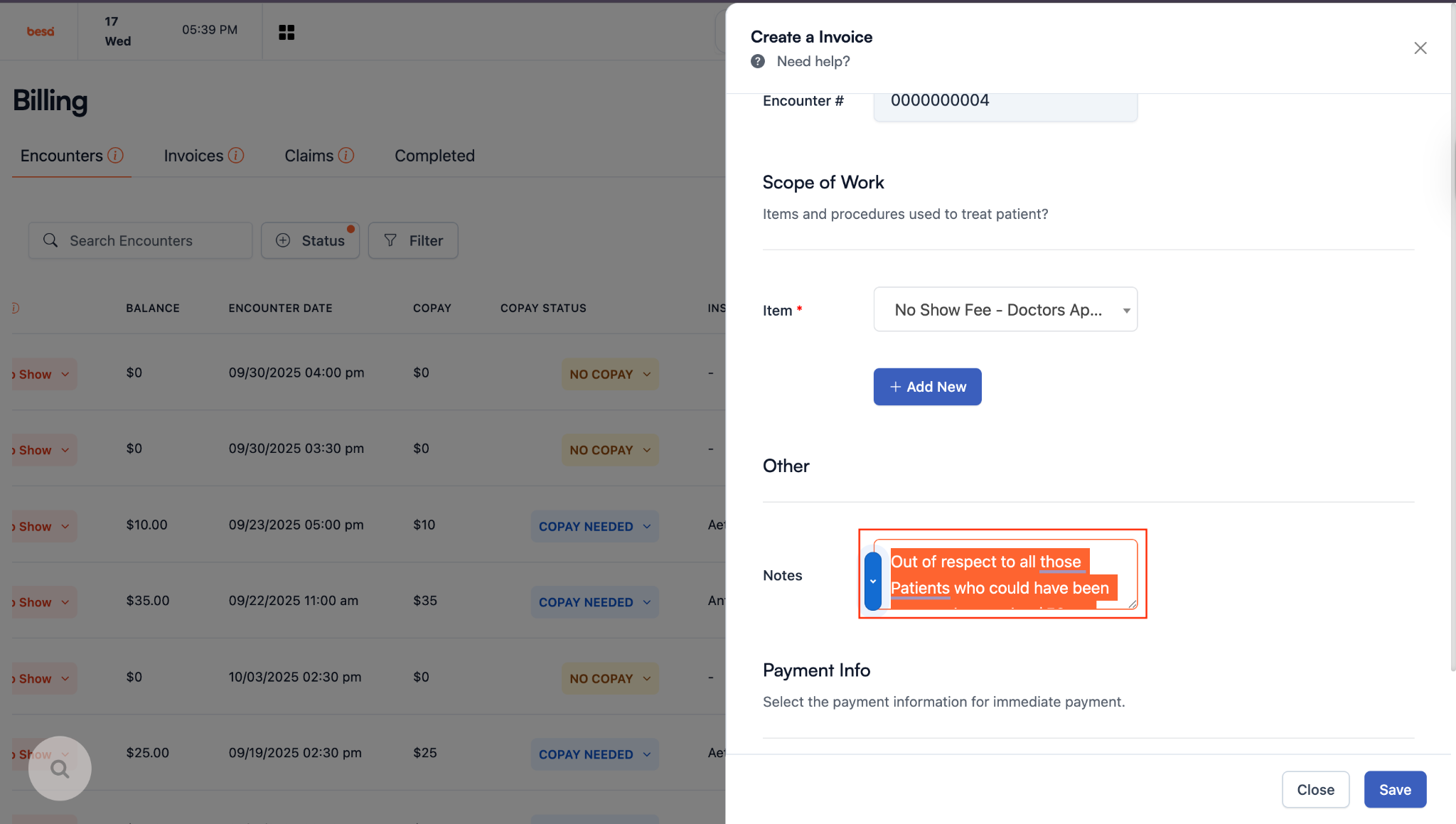
- If the Patient has a card on file (Very rare) than click on the card to select it and press Save. This will automatically change the card and close out the invoice.
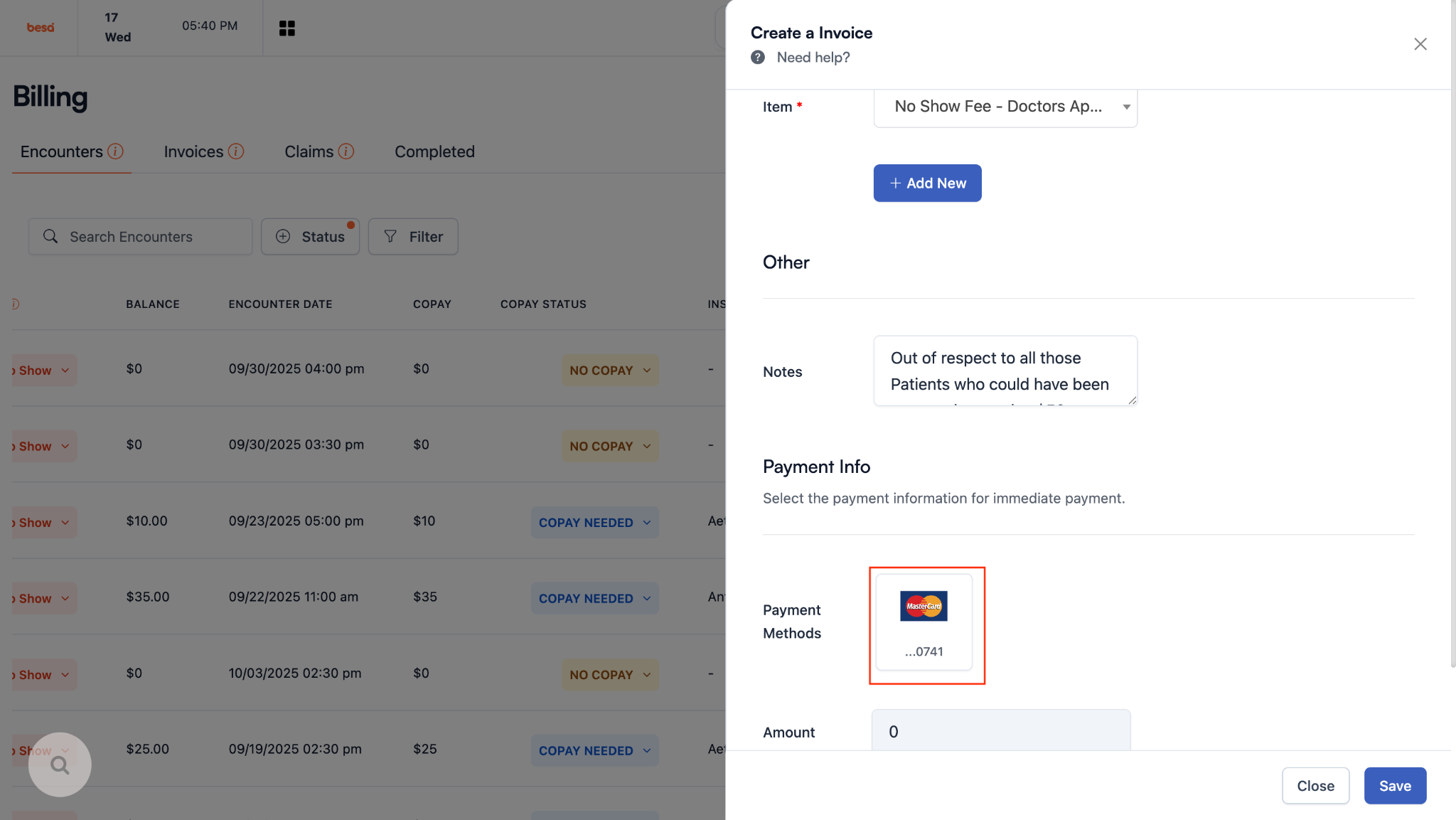
- If the Patient does not have a card on file which is the most likely scenario, just scroll down and click Save. This will automatically send the invoice to the Patient via email.
- Done!
- Here’s a video which goes over it.
Comments (0)