Checking a Patients eligibility is one of the most crucial steps to onboarding a Patient. The reason being, we never really know what is going on with a Patient and their insurance, financial liability without checking. Tip of info: Sometimes we still don’t know based on the check…
📚Resources Needed
- besa EHR
- Zocdoc (Maybe)
-
United Provider Portal
🚀 Tips & Tricks
- A lot of the insurance information needed can be found on the insurance card.
- Depending upon where the Patient booked the appointment will determine where you can get the Patient and insurance information.
- If something with the insurance doesn’t make sense, call the Patient to confirm.
- Here are the main actions your doing:
- Searching insurance eligibility
- Updating Patient demographics
-
Addressing any possible hiccups
📘 Instructions
Make sure not to forget one of these steps.
- First you will gather the Patients insurance information from wherever they booked the appointment from.
- Login to United Healthcare.
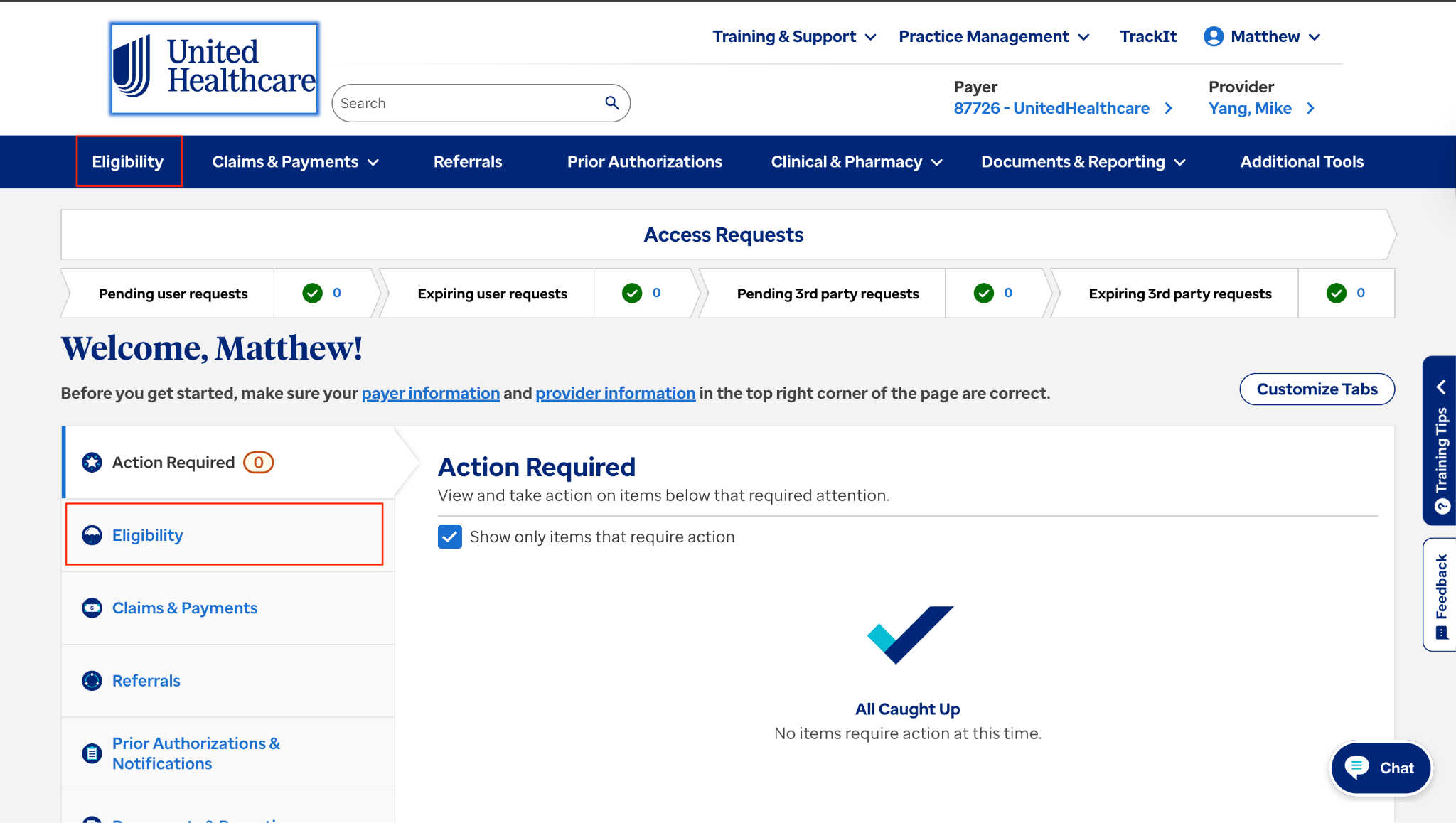
- From the homepage, click on Eligibility
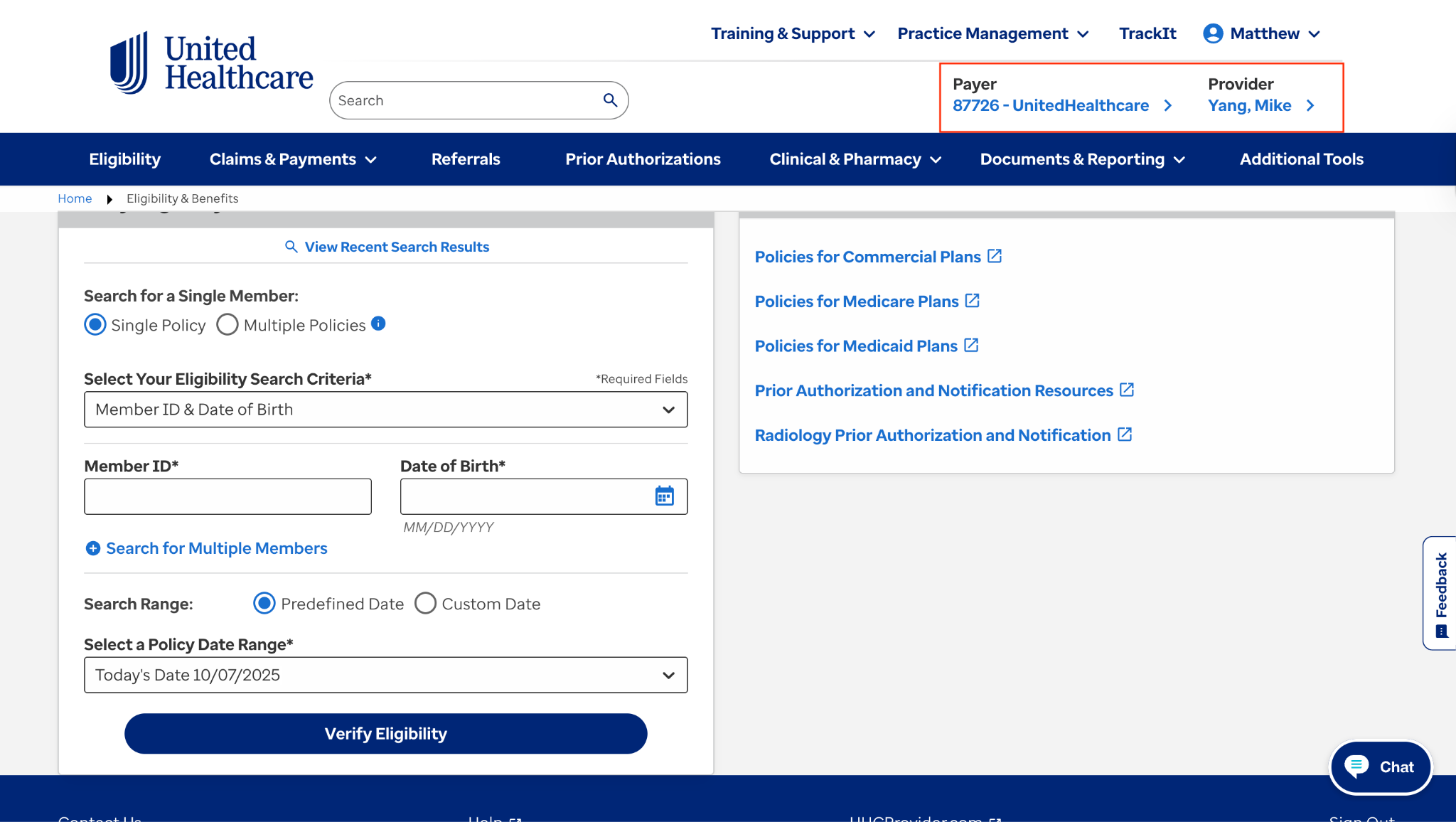
- Make sure that the Payer and Provider are correct in the top right corner.
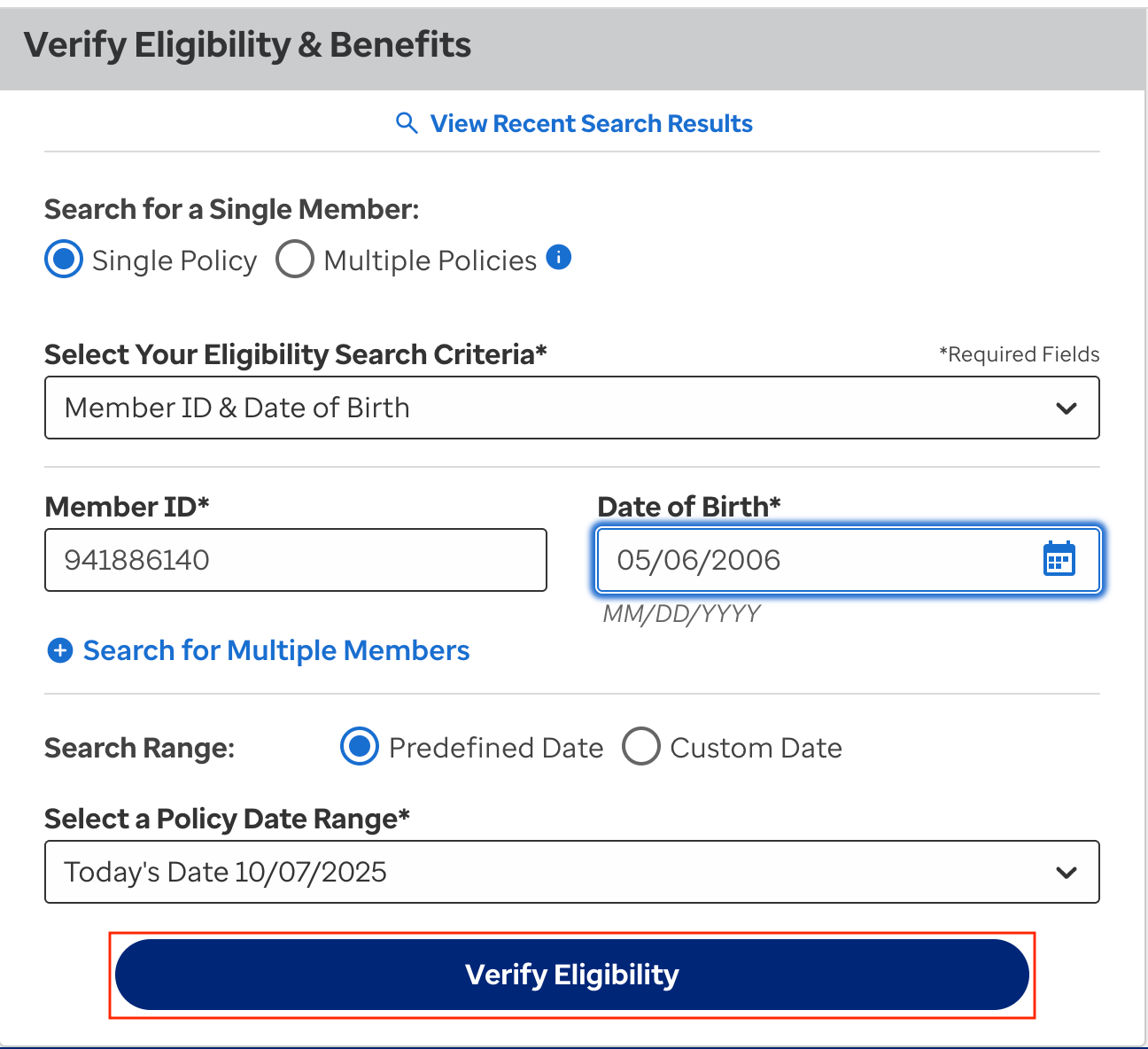
- In Verify Eligibility and Benefits, enter in the Patient Member ID and DOB and click Verify Eligibility
- Always make sure they have Active coverage.
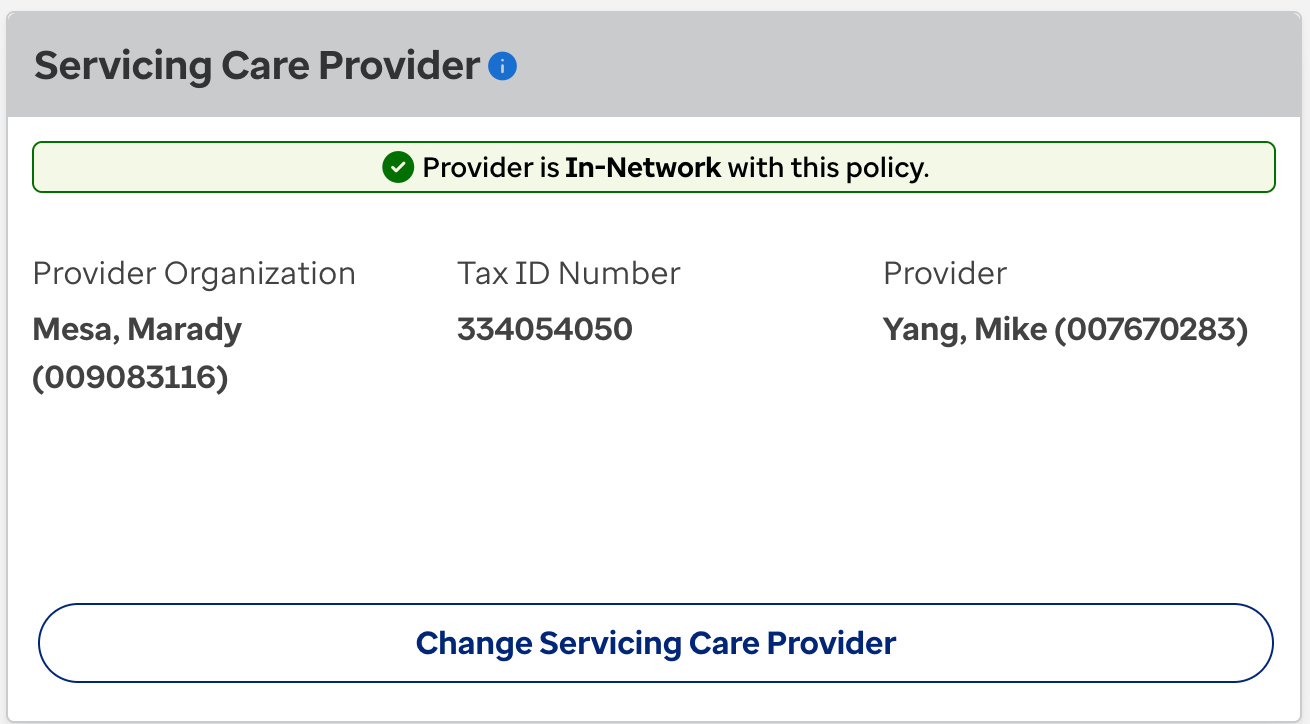
- Make sure it states that the provider is in-network with this plan
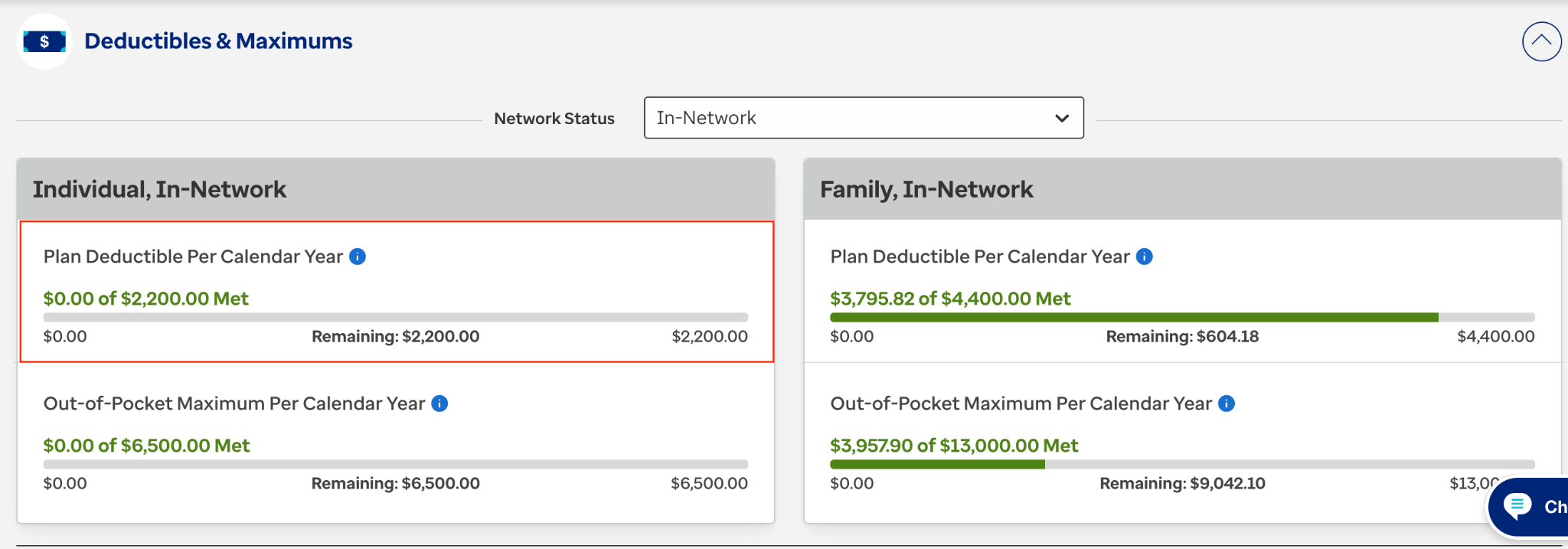
- Check what their Deductible may be.
- Scroll down to Coverage Information (Physician Visit) and look to see what the Copay may be for the Patients visit. In this specific example, you will see that the Copay is $0. Be sure to read any additional information as all plans are totally different and may have a weird clause.

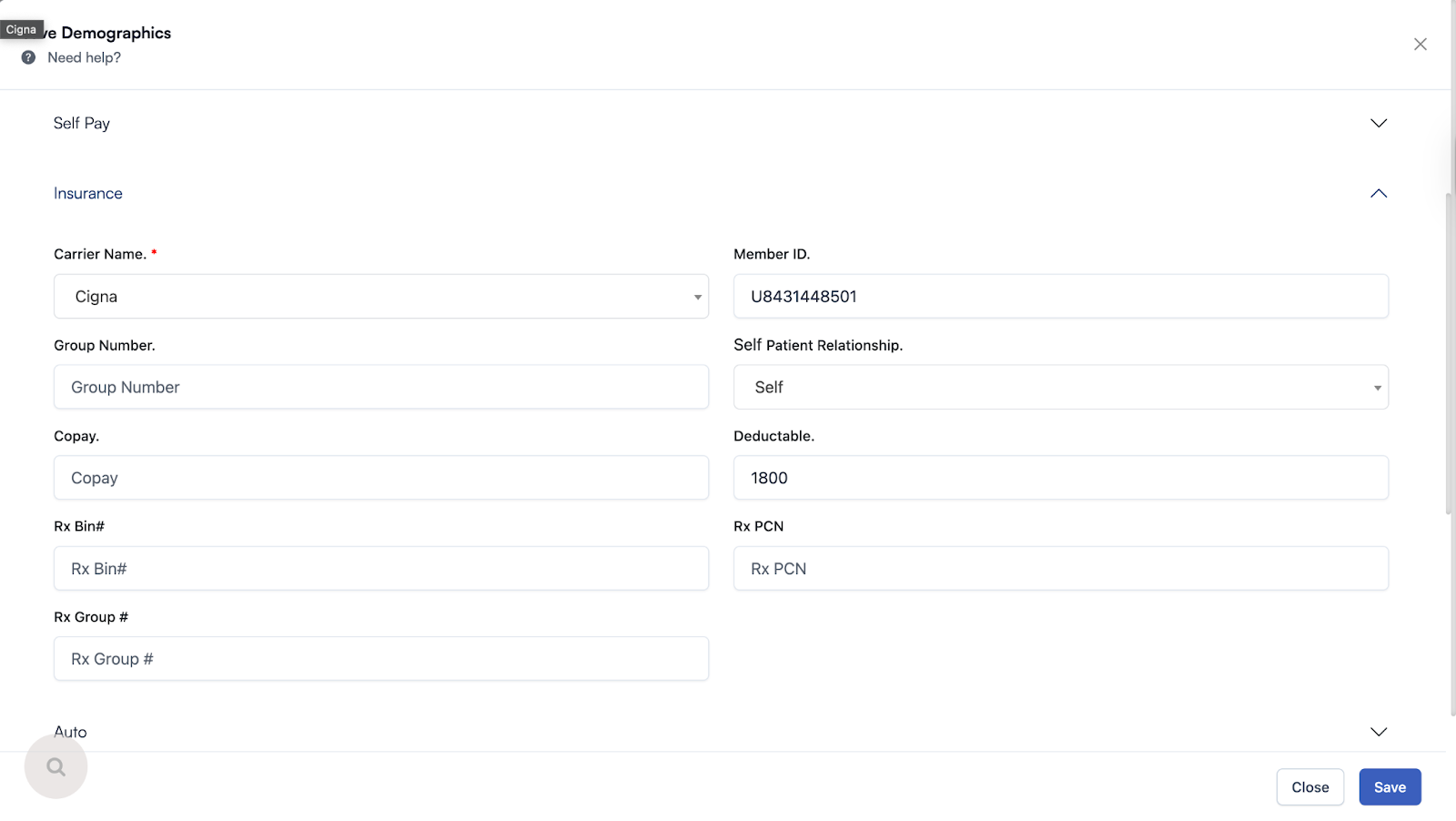
- Now that you have the Patient insurance eligibility, enter the information into the Patient demographics section of the EHR.
Here is a video to help you out.
https://drive.google.com/file/d/1lT6QP3bGANGqRq58ZZCqLWeshBRx2swi/view?usp=drive_link
Comments (0)