
A big percentage of our visits at the moment are telehealth visits. That being said, there is a slightly different format that we use or system to try to ensure we get all the Patient information as well as connect with them through the besa platform. Take a look below at the details.
📚Resources Needed
🚀 Tips & Tricks
Immediately following the Patients copay invoice creation (15-10min prior to appointment time) they receive an email letting them know to get on their virtual call.
Patients complete all intake prior to joining, as well as pay the copay amount listed.
You can always send the Patient a new link to get on that will go to their email. When you do that, the previous link’s token expires. This means they will always need to enter through their newest email.
📘 Instructions
Most of all steps listed below are automated steps.
When a Patient has a virtual appointment, and they are not in the Patient app, we will send them an email with the link to get on the virtual call (You can also manually send Patients the link if there is an issue with app).
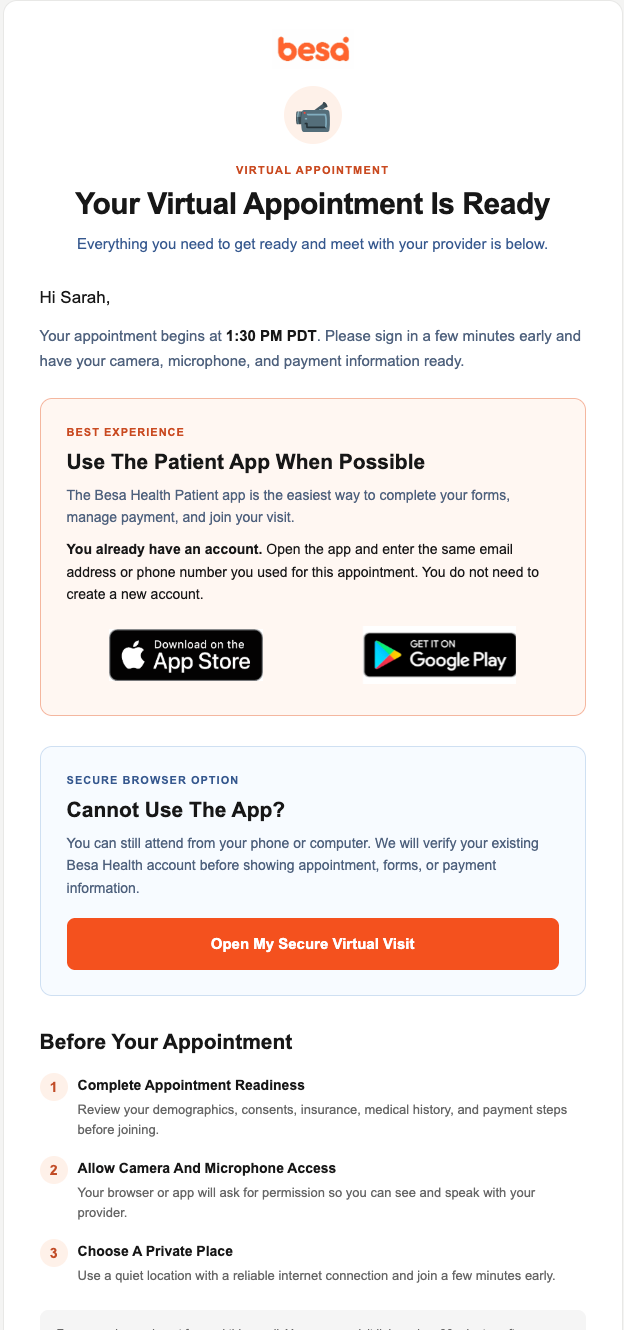
The Patient will need to confirm their identity to be able to access their appointment information. As soon as they do, Patients will be able to complete the entire new patient intake. Most fields are required in order to join.
Once the intake is completed, they Patient will be prompted to pay their copay. Once paid, they can enter the virtual call in the besa platform.
Patients can enter the encounter through their mobile or laptop via this link.
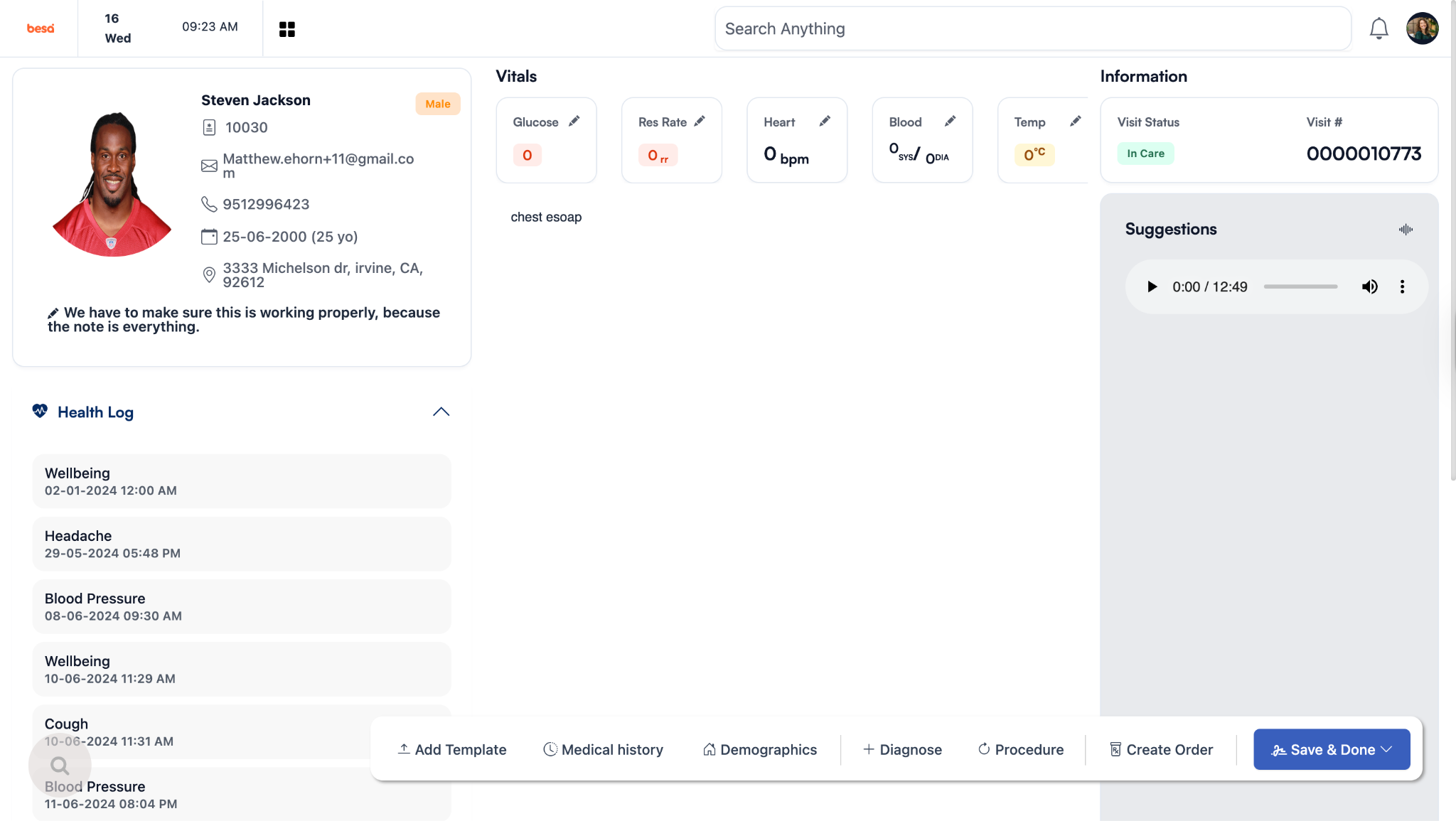
For you to get on the virtual call, login to besa EHR using your credentials.
If you are already logged in, when you click on the encounter link, it will automatically bring you to the corresponding Patient encounter page.
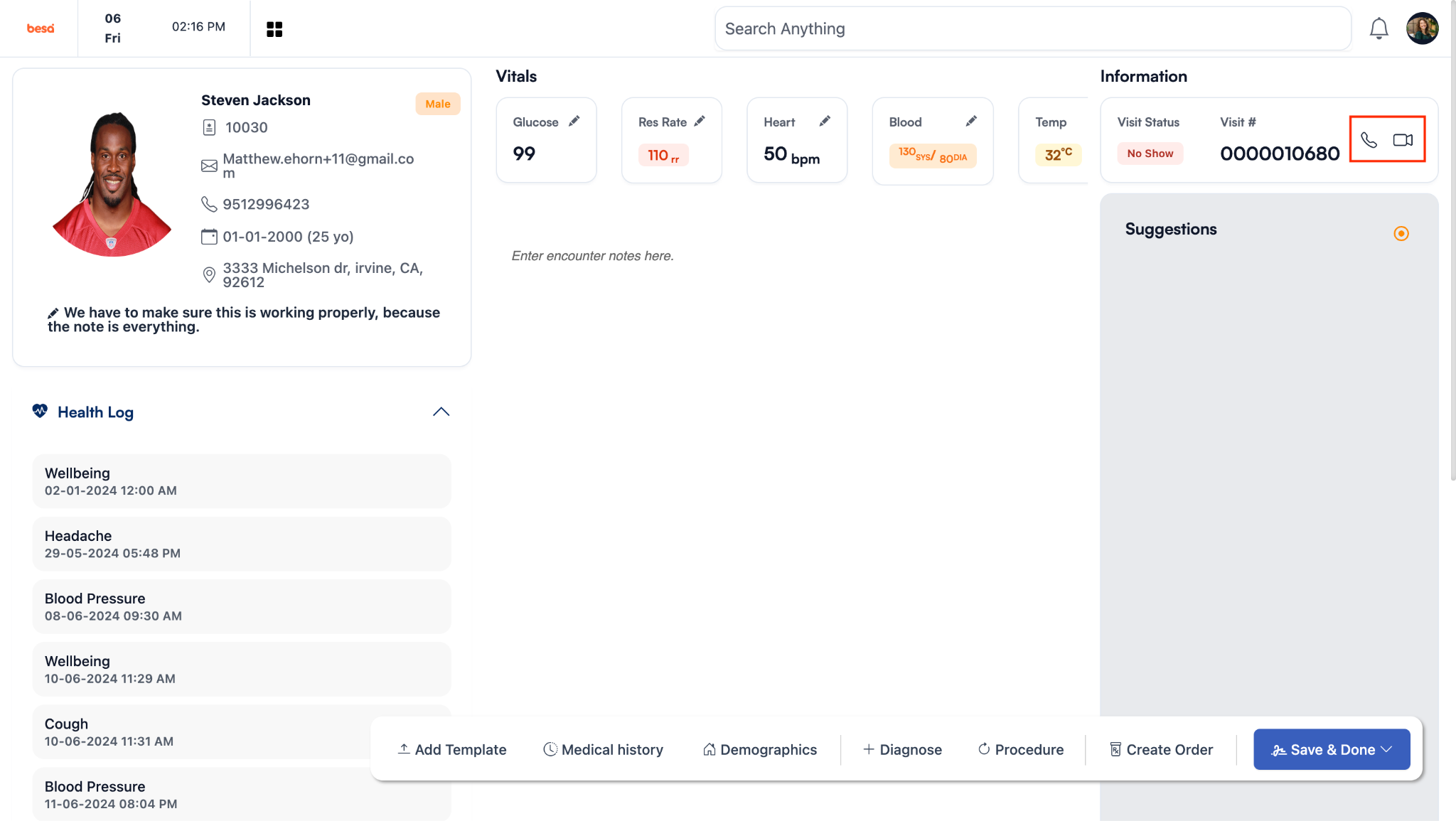
Access the virtual call by clicking on the camera icon.
If for any reason you need to resend them the link, you can do so by clicking on the paper airplane located inside the virtual call.
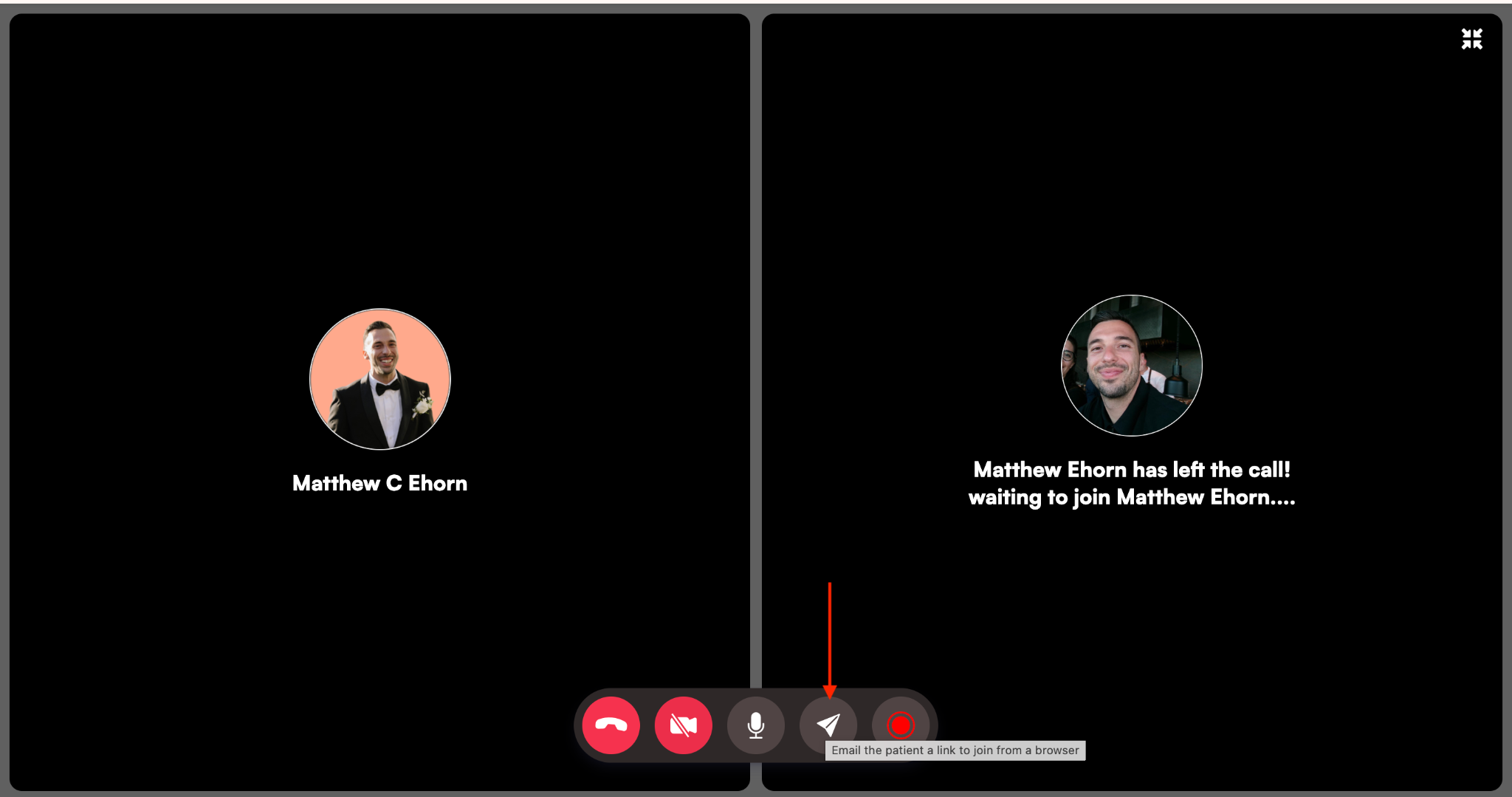
When you send it, the Patient will receive a new email with instructions to join.
If you have any questions or would like more information, please reach out to support.
Comments (0)