
The encounter is the most fundamental part of treating the Patient. Knowing of all the moving parts, you will need sometimes need to relay certain messages or reminders about the quality of care you’re looking for. Below is how you can leave a note for the provider inside of the encounter.
📚Resources Needed
🚀 Tips & Tricks
- The best time to leave a note would be while you are reviewing the encounters.
- The mid-level or other physician will be able to respond to your message in case more information is needed. Similar to that of a chat.
📘 Instructions
This is a step by step process using our systems.
- When in the Patient encounter you have the ability to leave a note for the provider that saw the Patient.
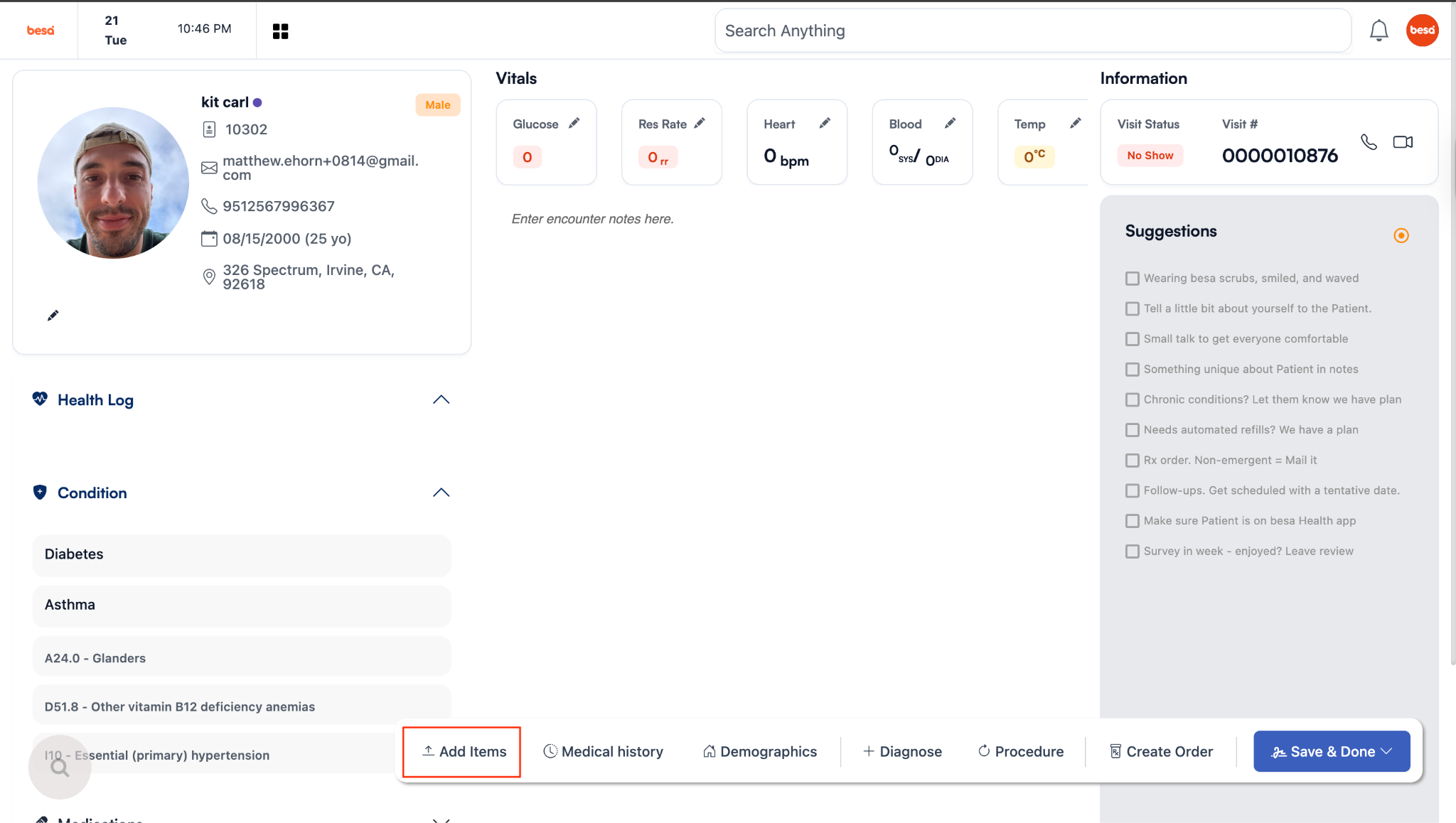
- To leave a note, click on the Add Item button.
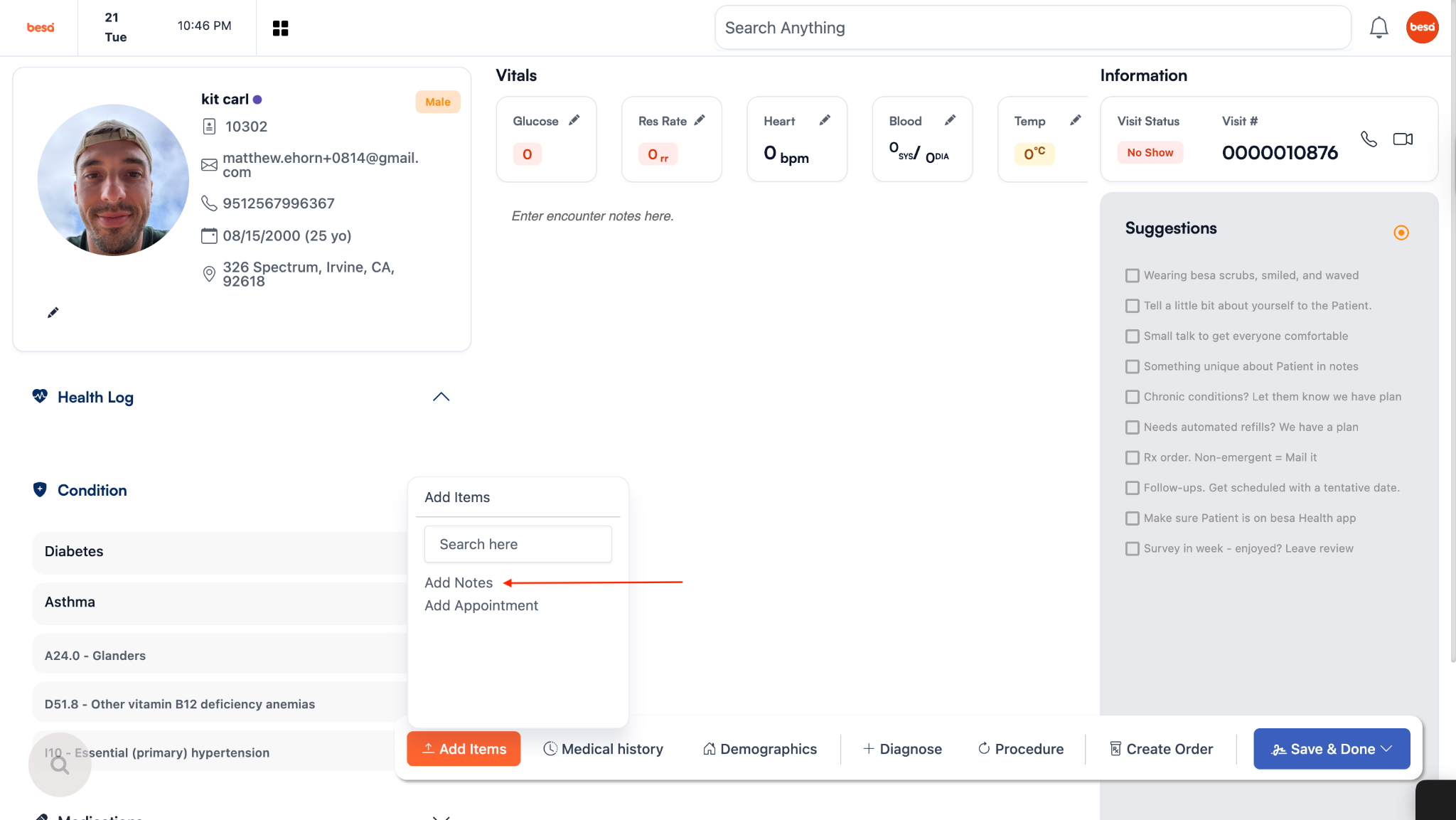
- Click Add Notes.
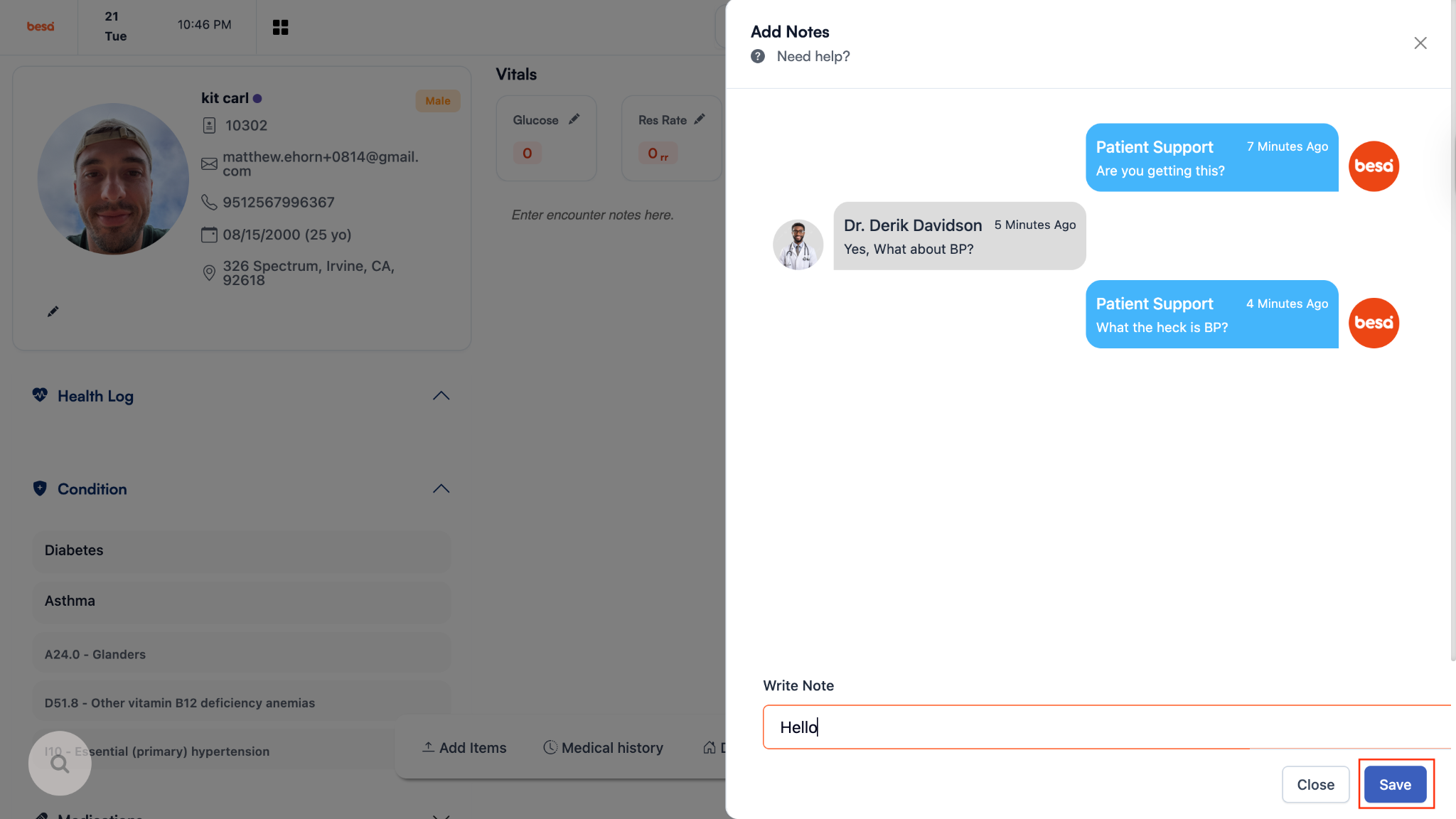
- Type whatever correction or information you would like to add to the visiting provider and click Save.
- When you do this, the visiting provider will receive an email like the example below. They can access the encounter and note by clicking on the button shown in the email.
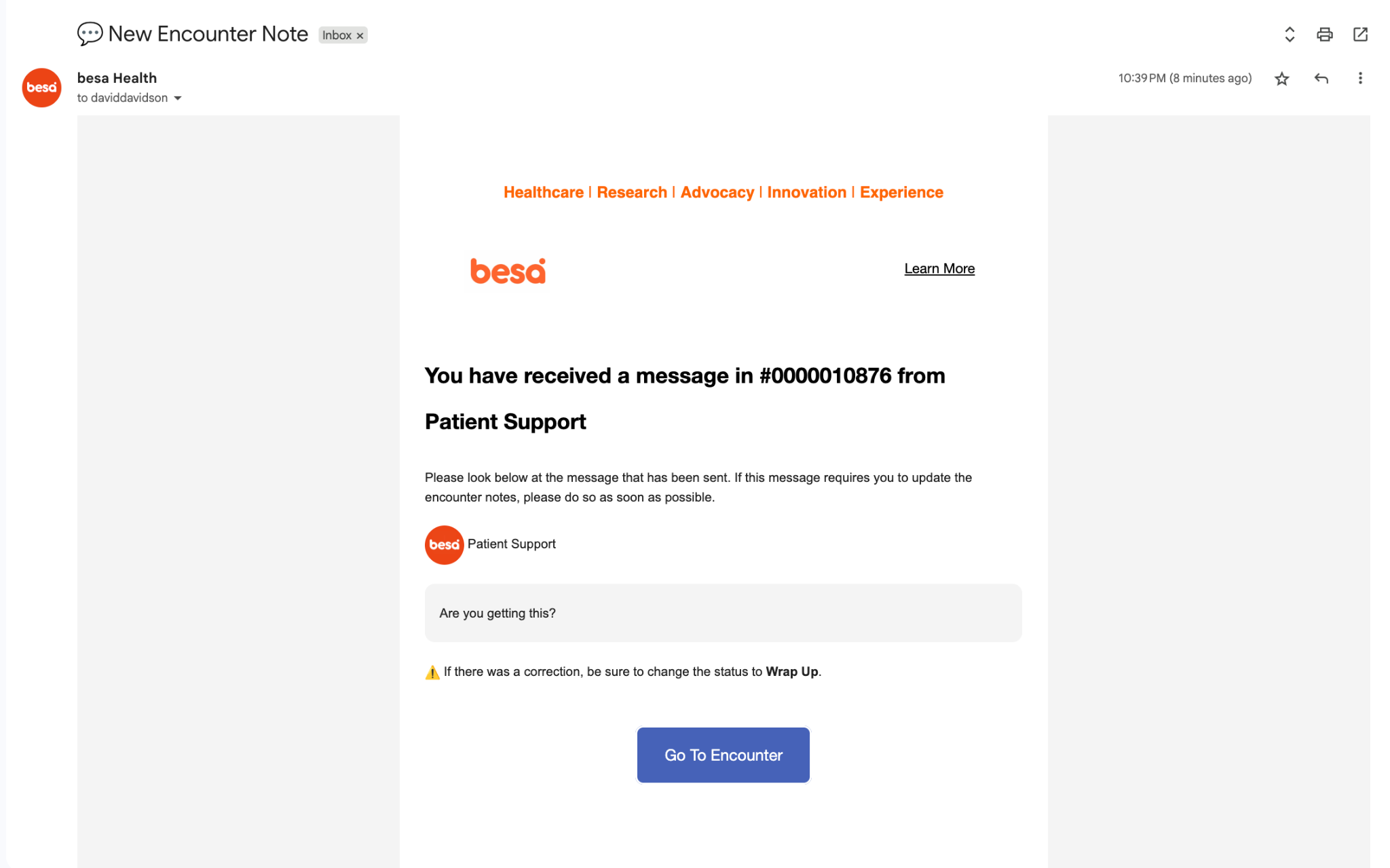
- If the provider has a questions or some kind of response, you too will receive an email as shown above.
If you have any questions or would like more information, please reach out to support.
Comments (0)