
The encounter is the most fundamental part of treating the Patient. This is where all the little things that we stress make an impact on the Patient. If we do everything exceptional, but have a bad encounter with the Patient, all that hard work goes out the window. When in comes to the encounter, it is lights, camera, action!
📚Resources Needed
🚀 Tips & Tricks
- Never begin a Virtual encounter without first doing the prep work.
- When conducting the encounter, conduct it with intention and empathy. If you do this, the Patient will notice and feel heard, important, and treated.
- Depending upon your browser, you may need to have the encounter open on 2 different tabs. If that is the case, split your screen between the two.
- The Patient will always be more nervous then you. At the beginning of the encounter, talk a little bit about yourself. This gives some times for the Patients nerves to go down and for them to find something you both can relate with.
📘 Instructions
This is a step by step process using our systems. For more details, please refer to previous articles which cover a more comprehensive encounter flow.
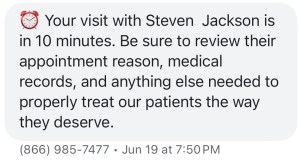
- You will receive an email and an SMS letting you know that the appointment is going to begin in 10 minutes. This is your trigger to begin the prep work.
- You will also see the link to the Patient detail page there in the email.
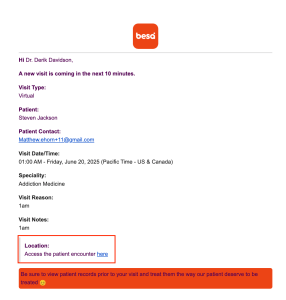
- Login to besa EHR using your credentials.
- If you are already logged in, when you click on the encounter link, it will automatically bring you to the corresponding Patient encounter page.

- After performing your initial checks, you’ll want to review the Patients vitals. Please note, that for all virtual visits, the only way we can get their vitals is if the Patient has connected their mobile device healthkit to their Patient app. They can do this simply through the vitals section of their health tab in Patient the app.

- Access the virtual call by clicking on the camera icon.

- Since you’re on before the Patient, when they come into call - smile, show your palm, introduce yourself and confirm their identity.
When introducing yourself, tell them something about you, something that they may need to be able to connect with. This is the dance, it is the beginning of hopefully a long lasting relationship. Remember, they will be a little nervous when they first get on. Make them feel comfortable enough to open up. - After quick intro, always try to create some kind of connection with the Patient. Ask them some questions about them. Show them that you care about who they are.
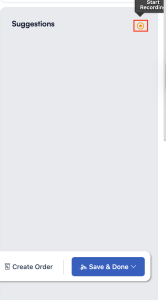
- Let them know that we record the visit to help providers such as yourself be there more for the Patient and address their concerns. Begin recording by clicking on the record button.
-
DO NOT ask them what brought them in. You already see what brought them in through the appointment details. Rather confirm with them that is why they are there, ask them to expand on it, and how you’re going to be helping them. Here’s an example:
“I see here that you’ve been having headaches daily. I am really sorry to hear that, having dealt with them myself I know how difficult it can be to get through the day. We’ll be sure to get this taken care of for you today. To begin can you please tell me a little more about what you're feeling?”
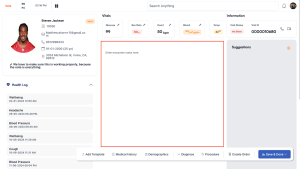
- As the Patient is speaking to you, you should give them your full attention. Nod periodically, reiterate back to them something that was said. If anything you deem is very important to note, please write it down in the canvas so no matter what you know it is recorded.
-
After the Patient has told you everything they can, perform your assessment. Make sure to let them know what you would like to do and why prior to asking. Remember, nobody cares what you do, they care why you do it.Pro tip: Throughout the whole encounter, smile whenever deemed appropriate.
- If there is a diagnosis, discuss the potential diagnosis and carefully describe each one and the details regarding them. Force the Patient to be part of their visit, not just someone the visit is happening for.

Pro tip: Use the AI search to help with some questions you may have during the visit. - When you develop the plan, clearly explain it to the Patient so there is no confusion. You may even want them to say it back to you.
- If you need to create an order, do so by clicking on the Create Order tab. If you need some more details regarding the order before sending it out, just save it as a draft and make proper notes.

- Prior to finishing up the encounter, as long as everything of importance was said, stop the recording and process the audio. You will want to do this prior to reiterating anything or finishing up because depending upon the audio, it may take a few minutes to process.
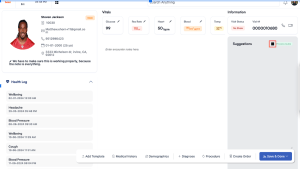
- When the scribe finishes, confirm all the information is accurate, update anything that you may need to, and add it to the main Canvas.
- When finished, click Save & Done to end the visit. This will trigger the supervising physician to review the Patient encounter.

You got it! As long as you’re going into the encounter prepared and with the desire to actually treat the Patient, you will do an excellent job and the Patient will feel how much you/we care.
If you have any questions or would like more information, please reach out to support.
Comments (0)